Power King T92 3-Speed Transmission Rebuild Overhaul, Part 3 — Assembling the T92 Transmission

Previously in this series of articles, we have covered the teardown of a T92 transmission for rebuild in Part 1, and removed & installed front and rear ball bearings in Part 2.

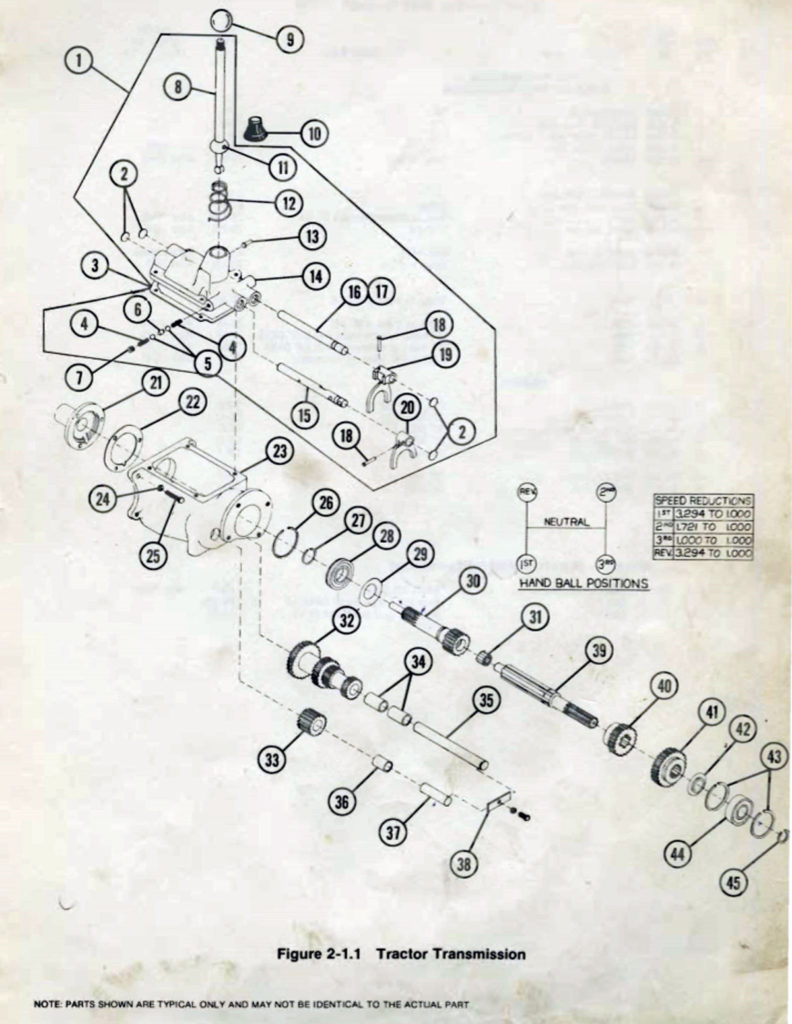
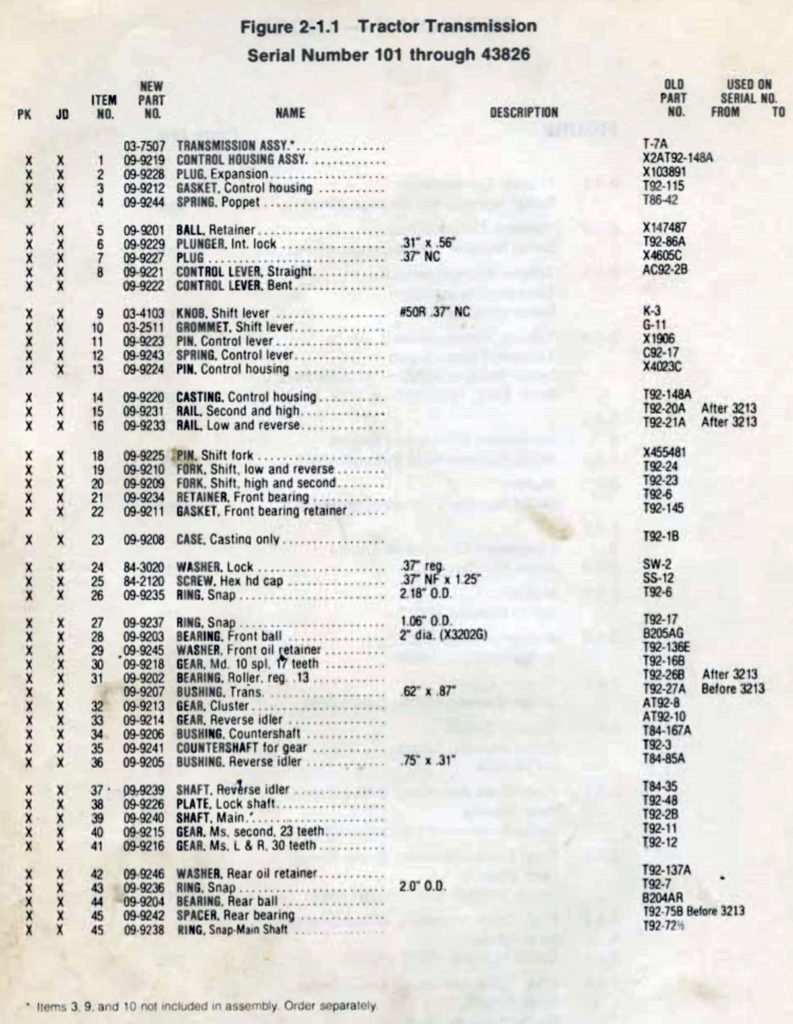
This is Part 3, covering assembly of the T92 transmission gearbox. Let’s get to it. First, here’s an exploded view and illustrated parts list (IPL).
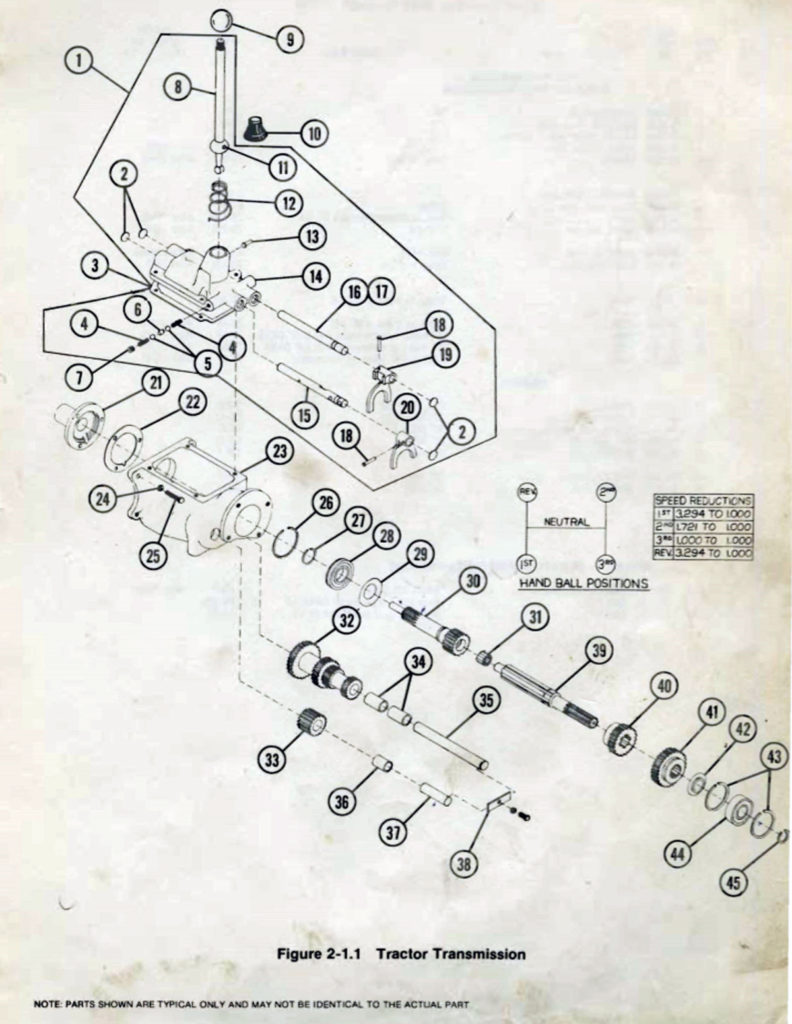
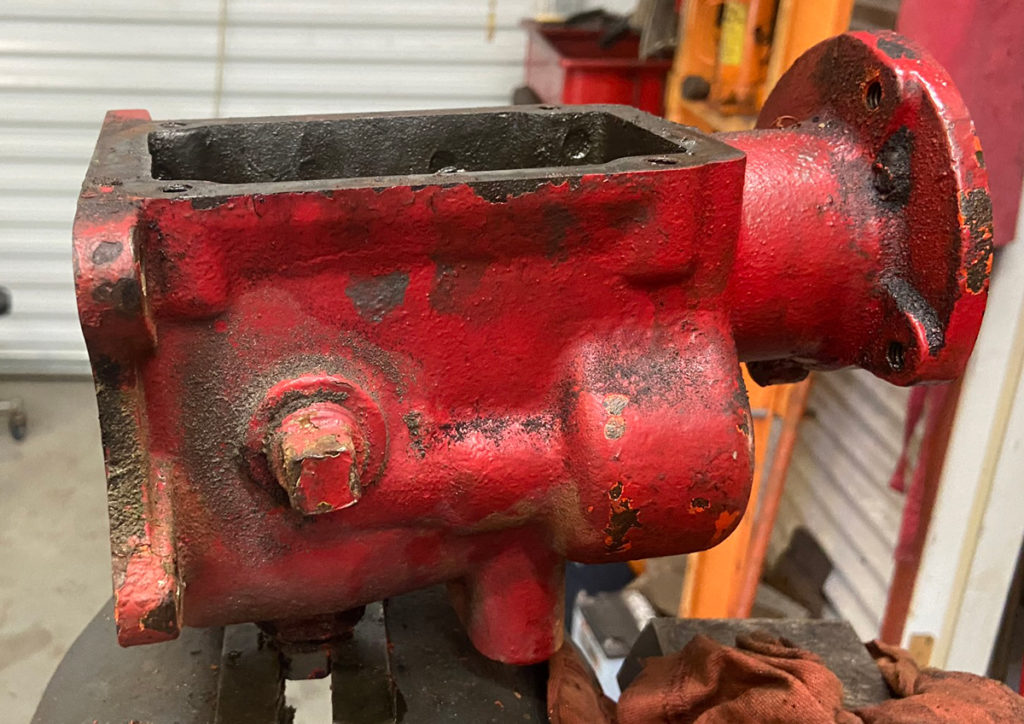
I’m assuming you have a nice clean transmission case, and all your parts are ready to go. There should already be a snap ring inside the rear of the case, for the front of the rear bearing to butt up against.
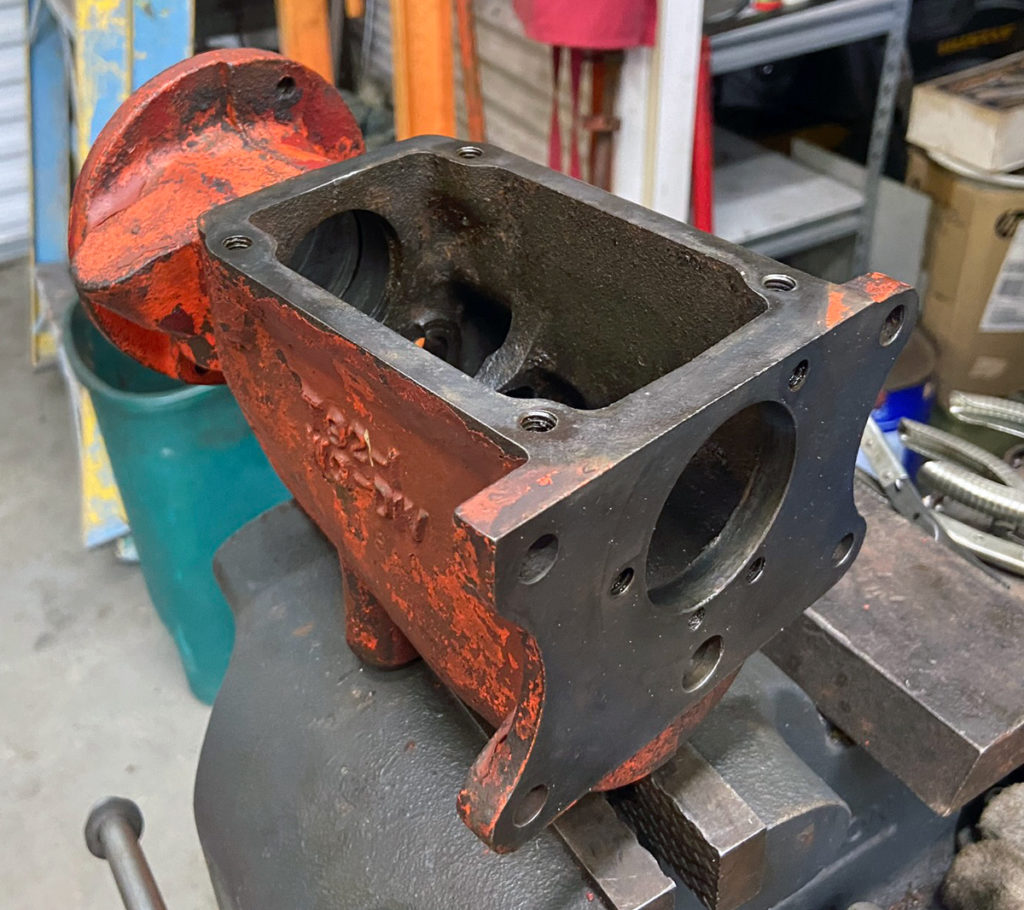
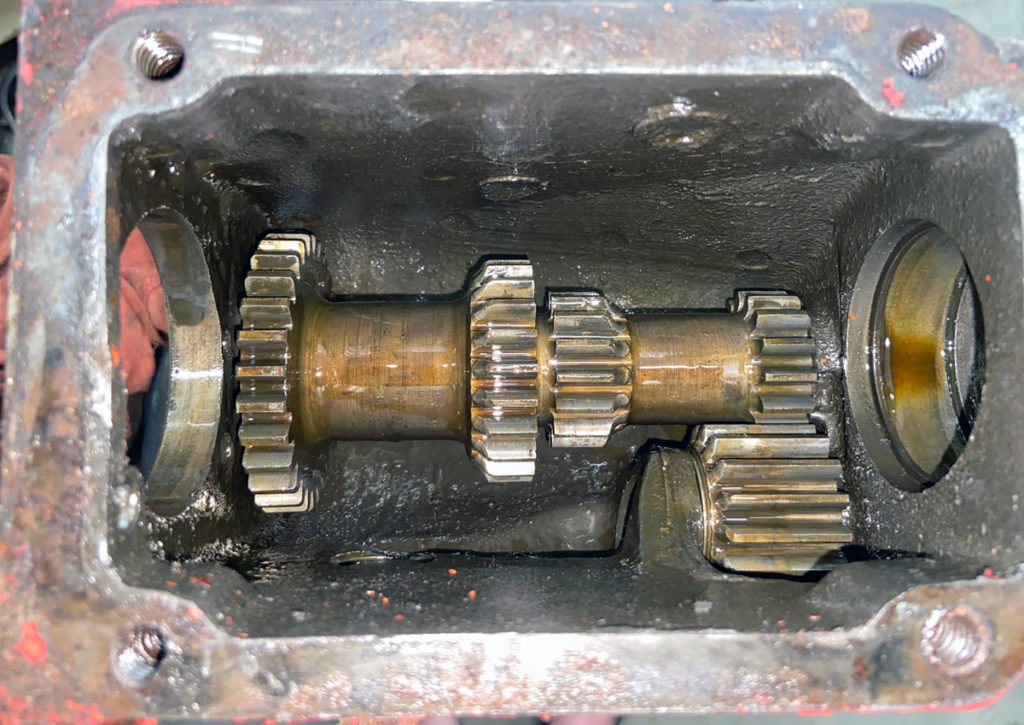
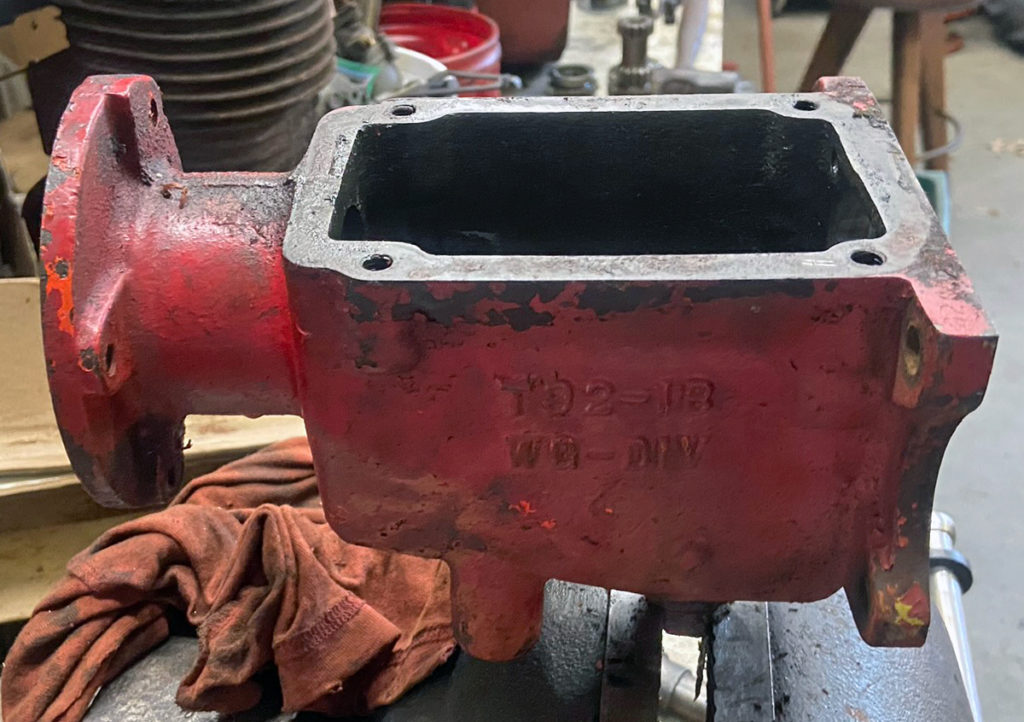
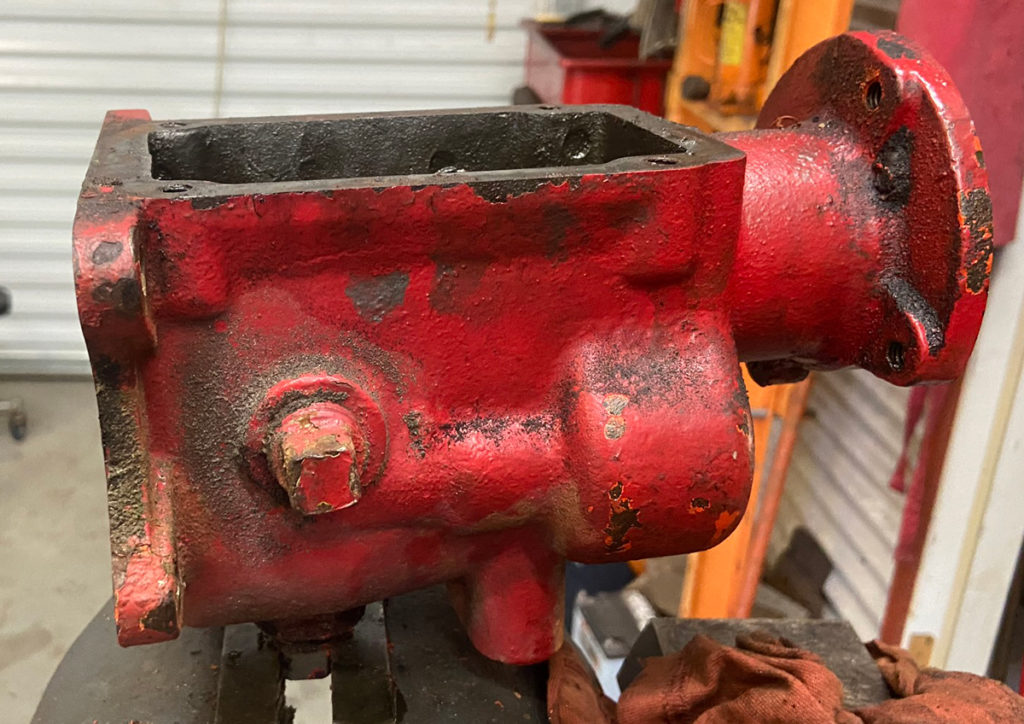
Empty T92 Borg-Warner transmission case.
(Photo © Russ Chastain)

Start with the reverse idler gear and it shaft. The front of the gear will probably be tapered slightly from wear; that’s okay.

Reverse idler gear and its shaft.
(Photo © Russ Chastain)

Place the gear where it belongs, and insert the shaft from the back side of the case — making sure the retainer slot is positioned correctly.

This is where the reverse idler gear belongs.
(Photo © Russ Chastain)

When you start the shaft, make sure the slot is facing towards the other shaft so the retainer will fit into it.
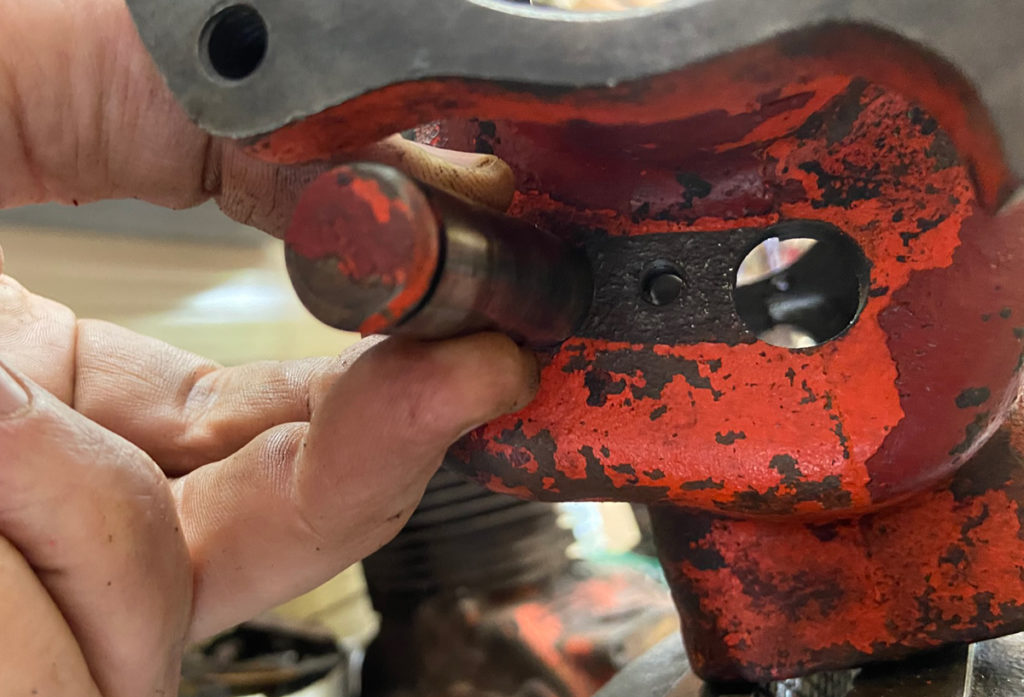
Reverse idler shaft goes into this hole.
(Photo © Russ Chastain)

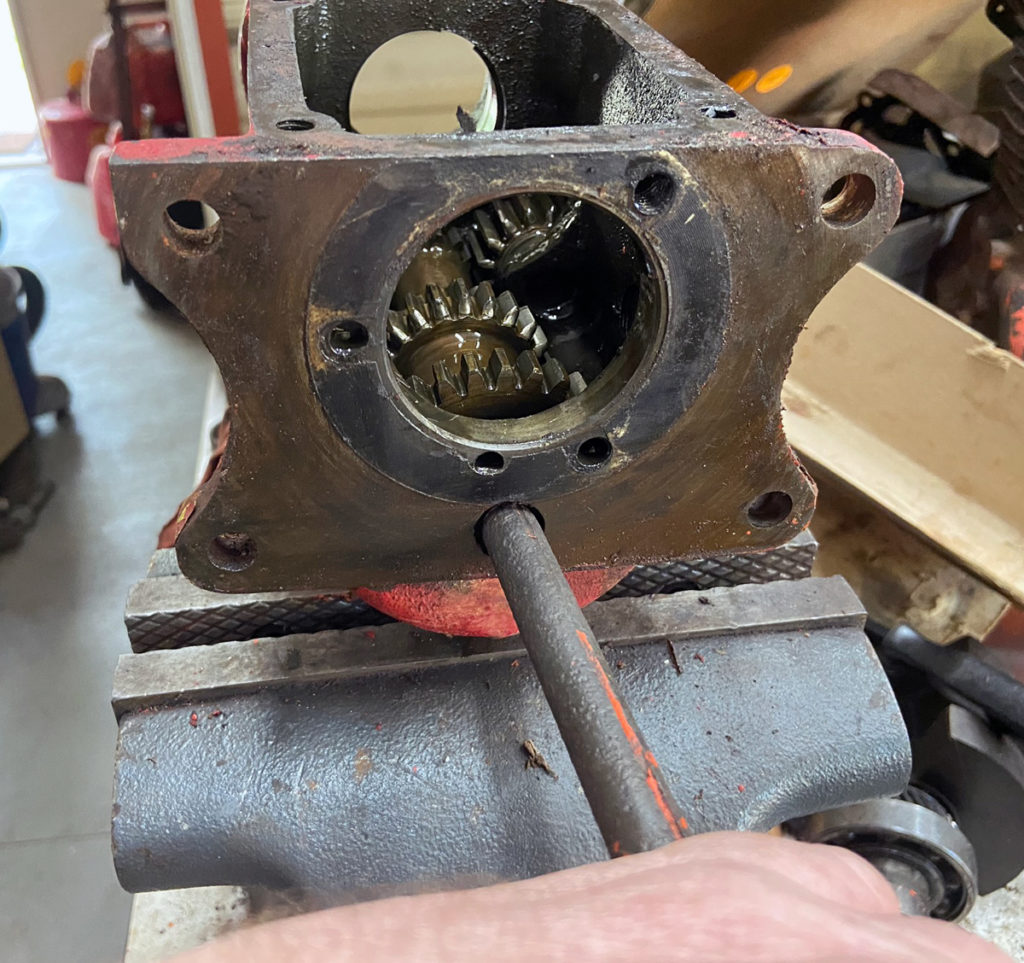
When you drive it in, make sure your punch is not above the slot. That will break the shaft, as you will see below.
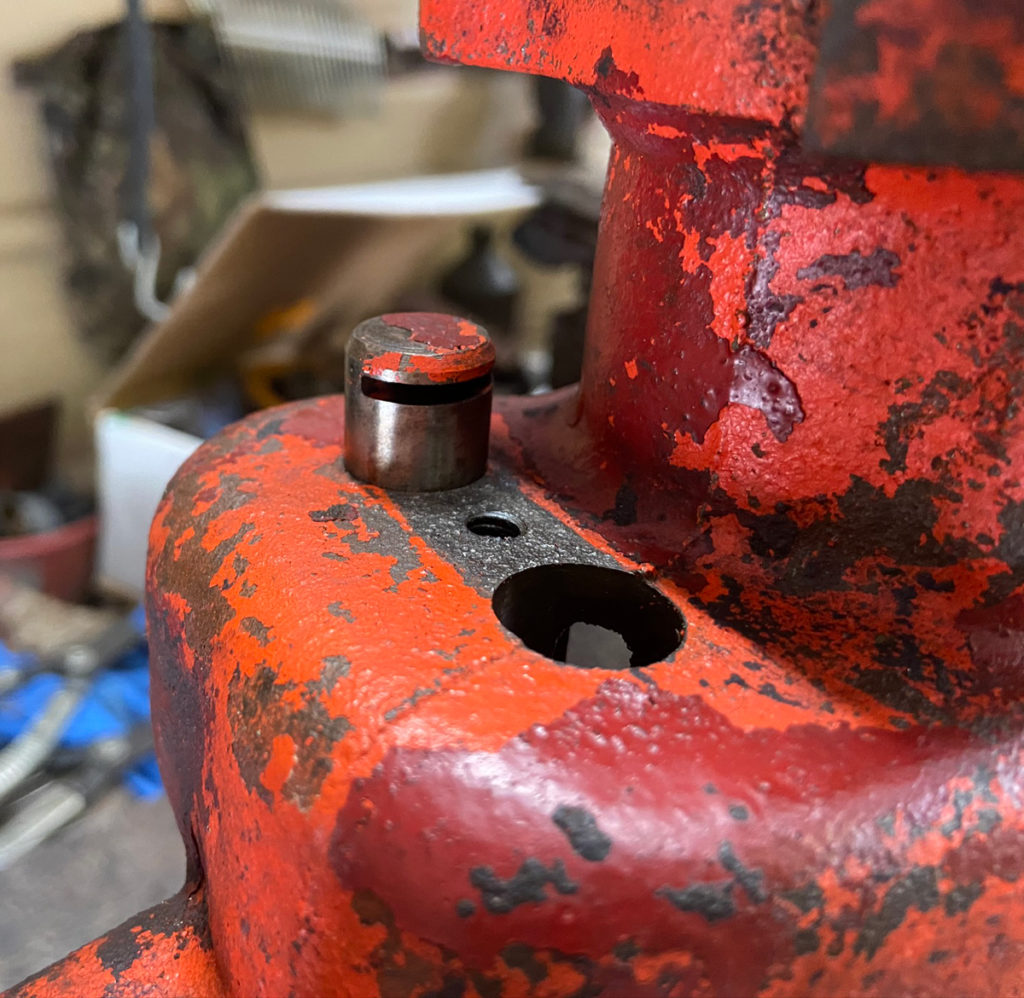
Slot faces the retainer.
(Photo © Russ Chastain)

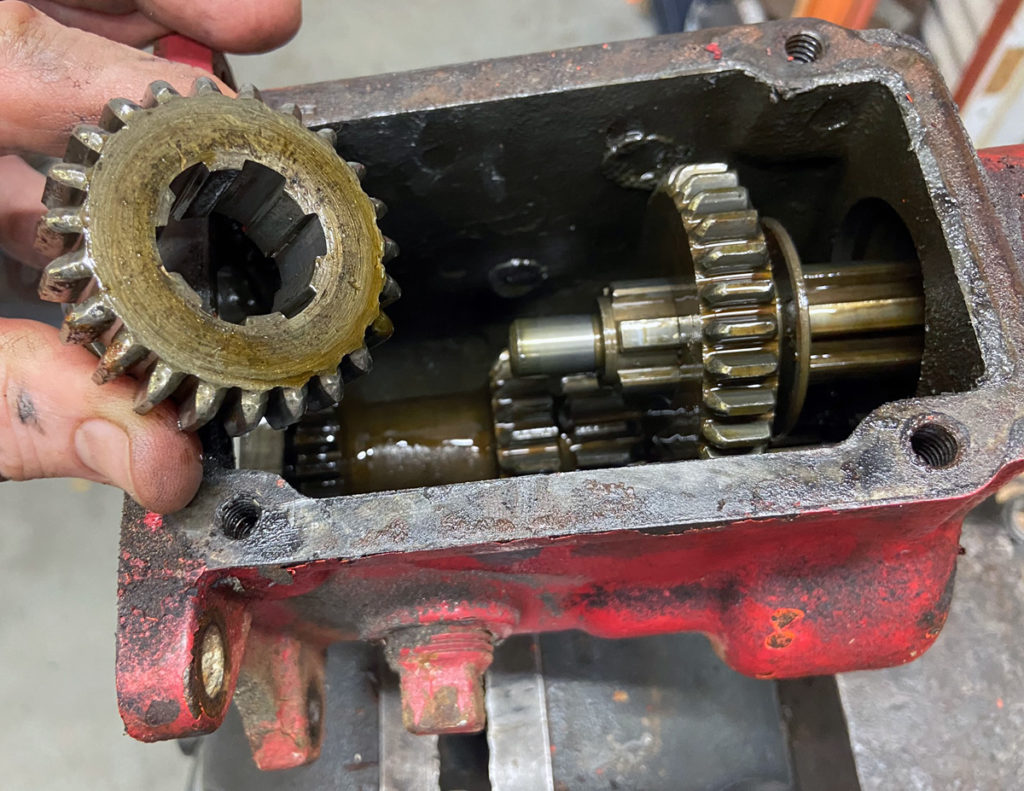
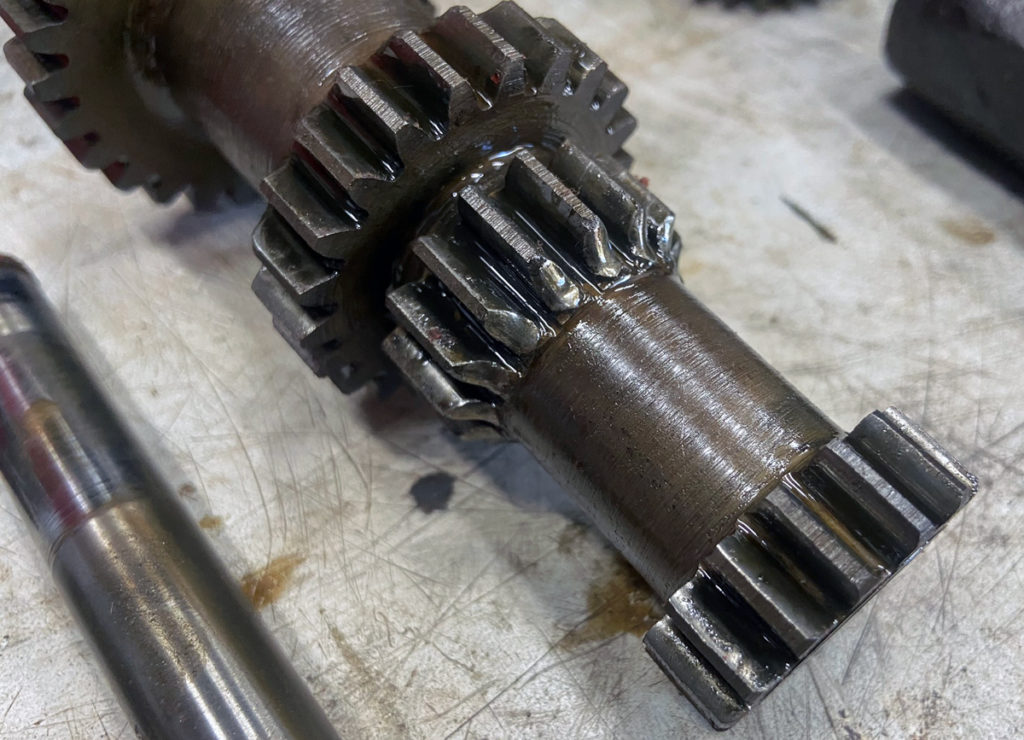
Next, place the cluster gear where it belongs. This one has more wear than I’d like to see; this is caused by grinding gears when shifting. The good news is, there’s still a lot of life left in it.
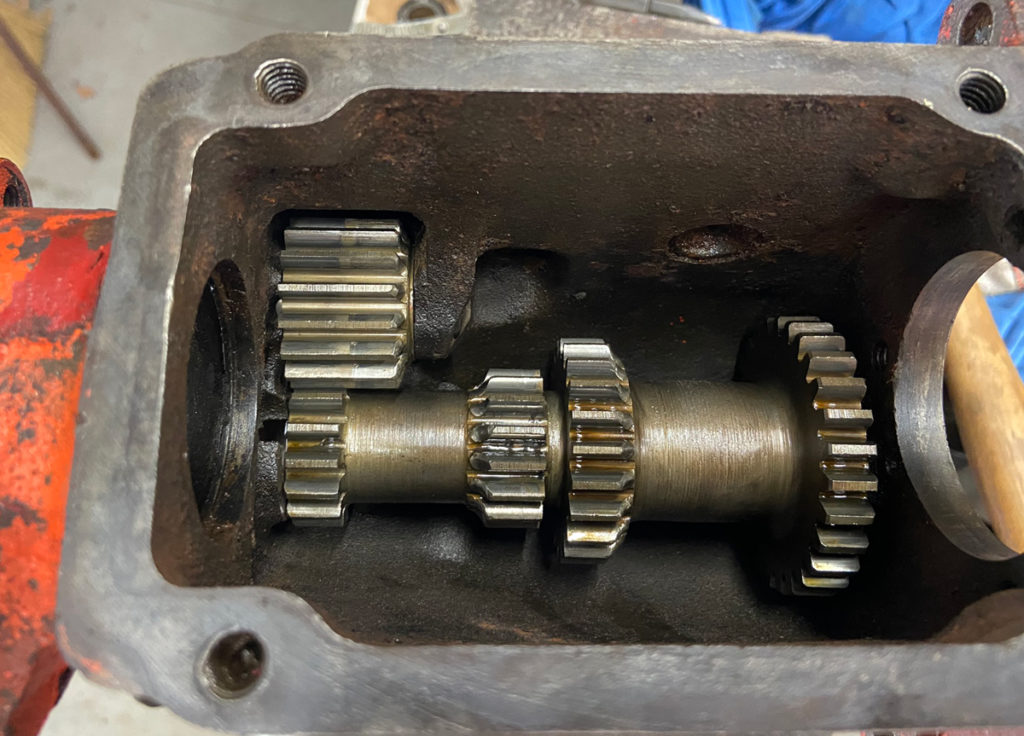
Cluster gear in place.
(Photo © Russ Chastain)

Run the shaft through the cluster gear, again making sure the slot is facing the correct direction.
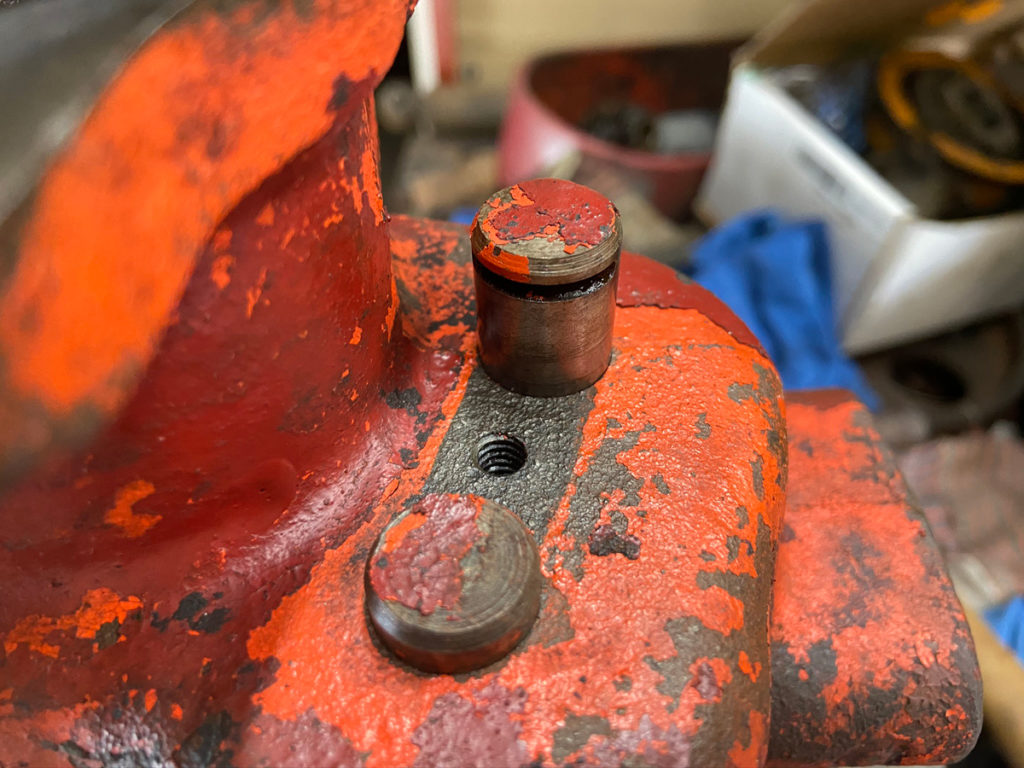
Installing the cluster gear countershaft.
(Photo © Russ Chastain)

When you hit the shaft in the wrong place due to carelessness, you break it. If this was the reverse idler shaft, I’d have to trash it — or more likely, cut another slot 180 degrees from the old one. But the front bearing retainer will prevent this shaft from “walking” out the front, and the retainer will keep it from moving backwards. So I’ll just live with it.
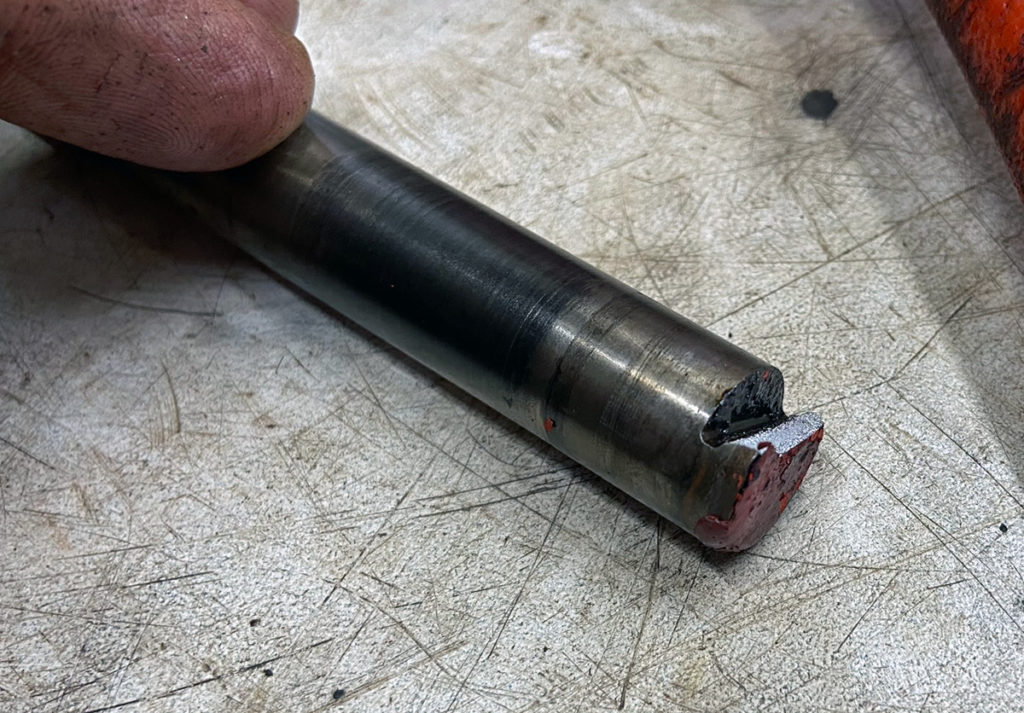
Broken shaft retainer slot.
(Photo © Russ Chastain)

My usual practice is to use a cutoff wheel to cut new retainer slots into these shafts opposite the original slots, to allow the bushings inside the gears to ride on unworn portions of the shaft. I chose not to do that this time, because I was trying to retain the original tractor’s patina. And then I got stupid & broke the shaft! Derp.

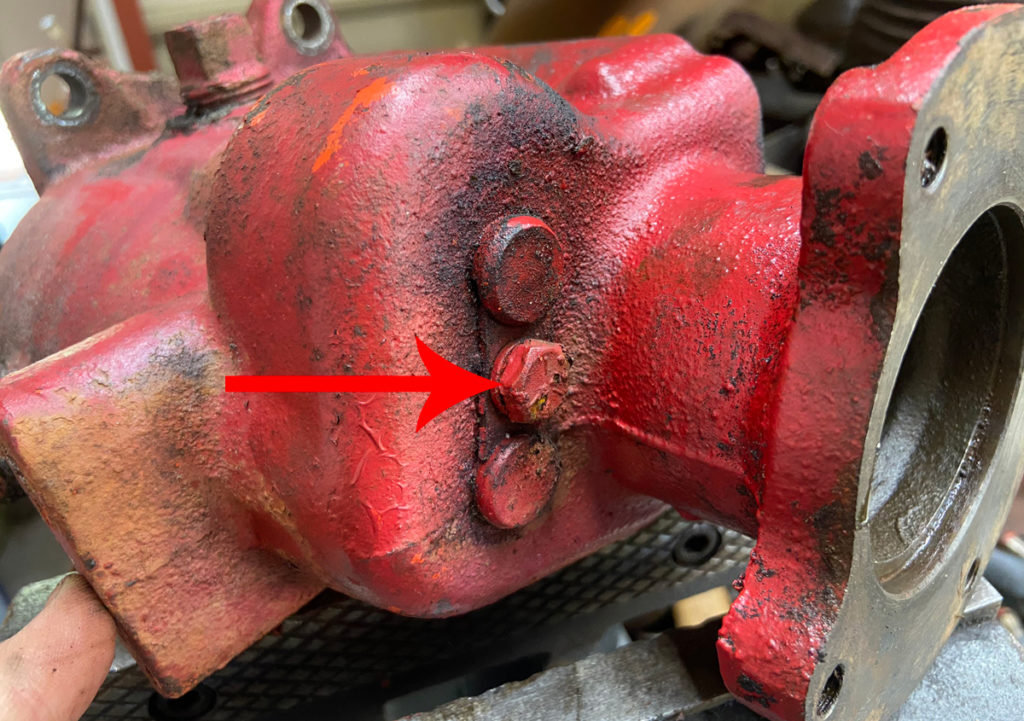
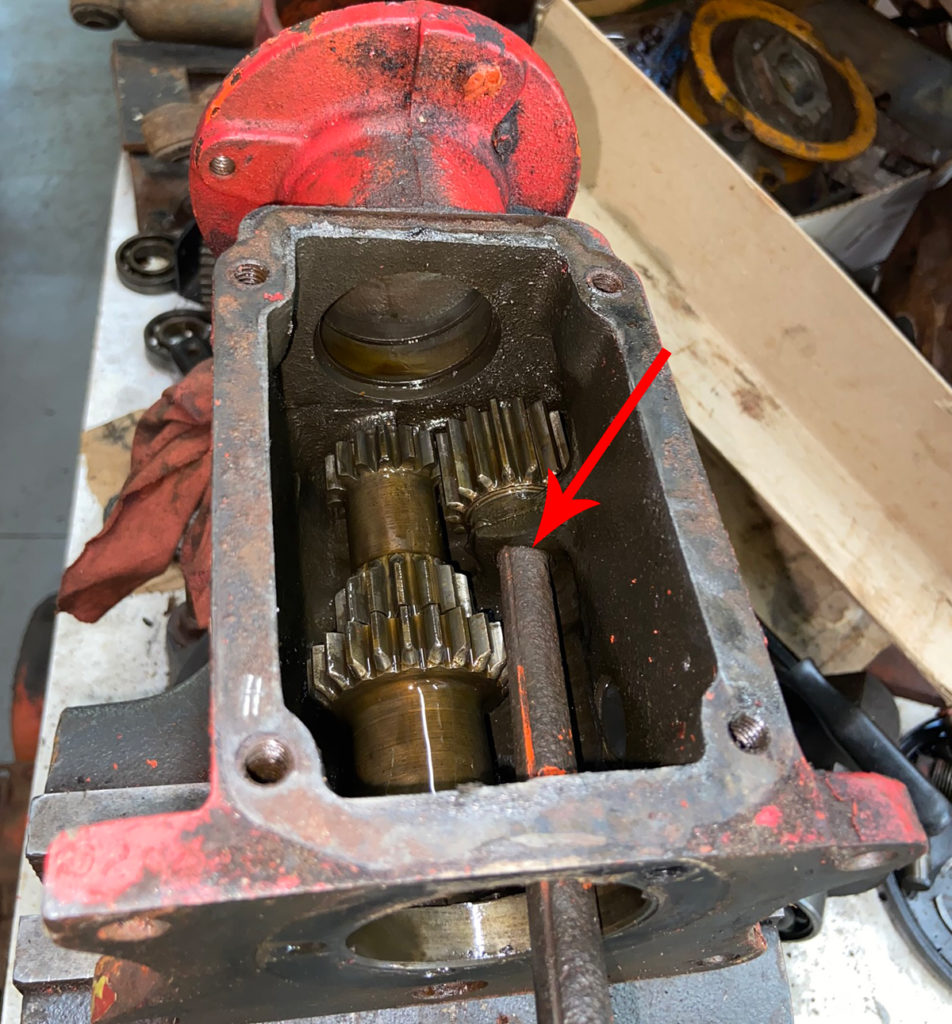
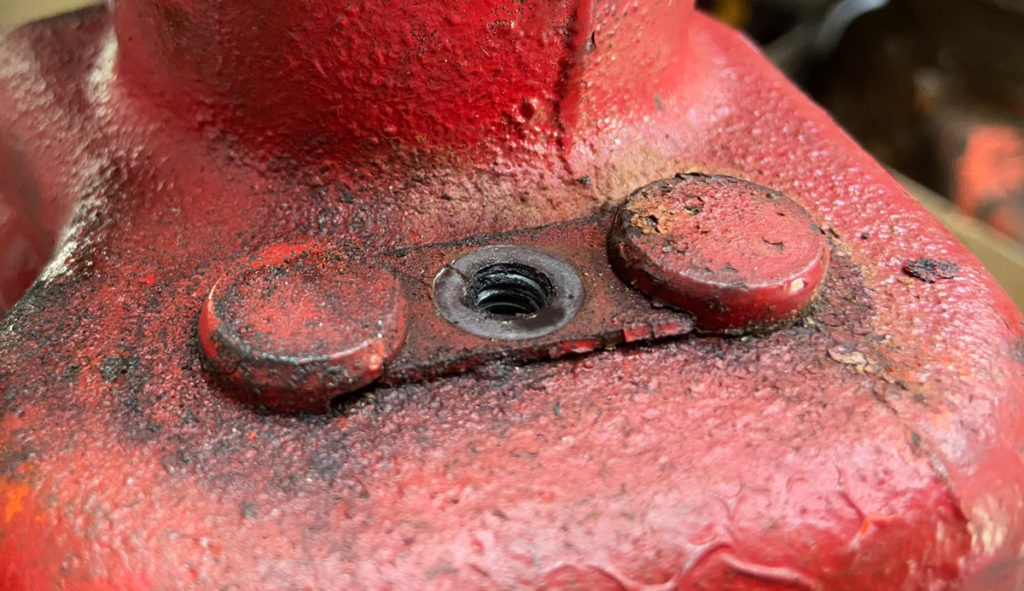
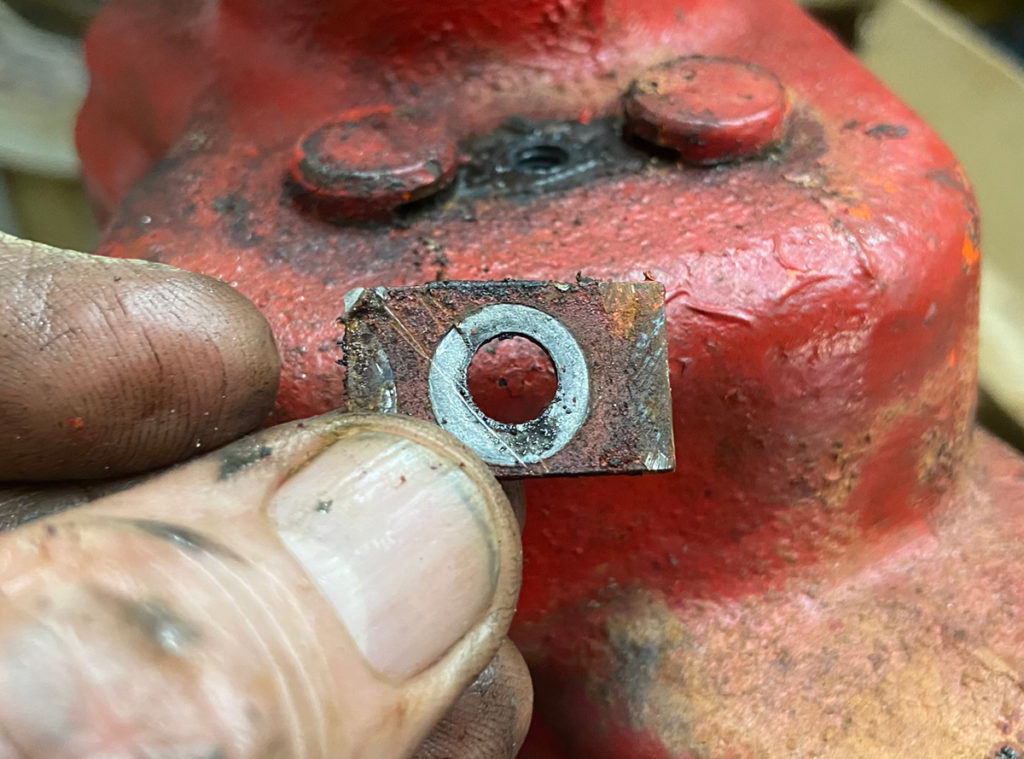
With shafts in place, slide the retainer (“lock shaft plate” in IPL) in place and start the 5/16″ cap screw with lock washer.

Retainer in place, screw ready to be tightened.
(Photo © Russ Chastain)

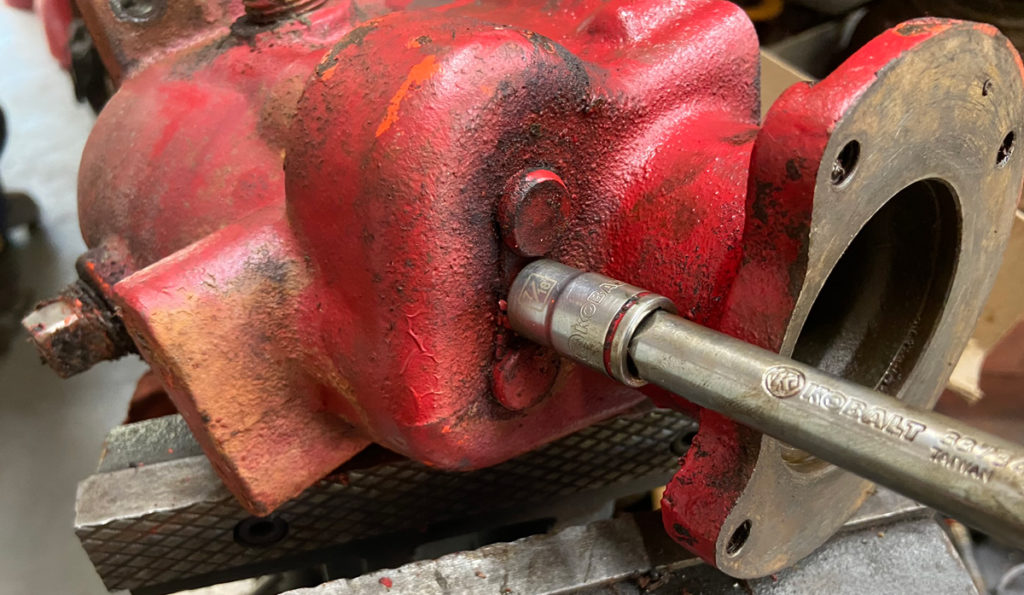
Tighten the retainer screw and you’re done with those lower shafts.

Tighten with a 1/2″ socket & extension.
(Photo © Russ Chastain)

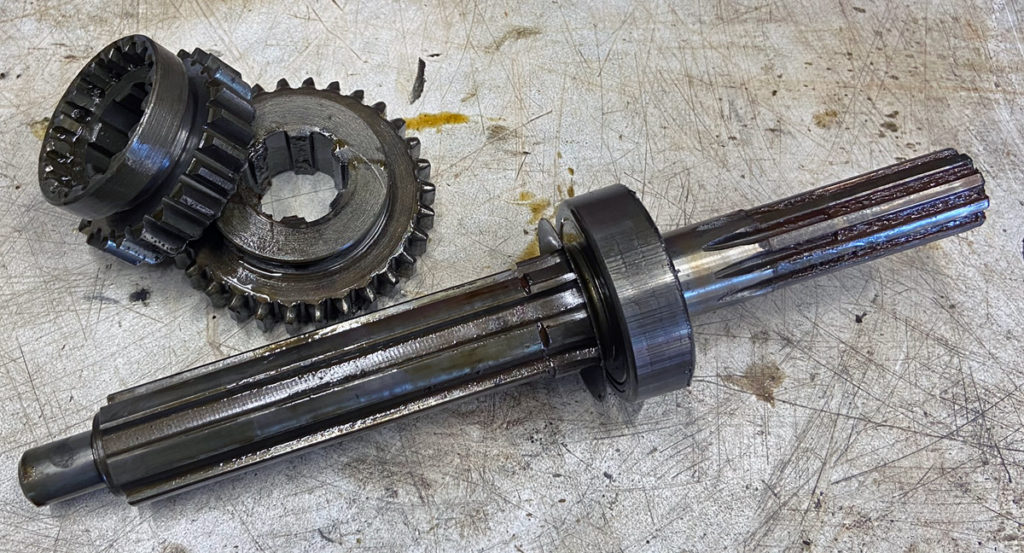
Now for the main shaft. Don’t get hasty; you will need the main shaft with good bearing installed, both the sliding gears, and a snap ring.

Again — Make sure the inside snap ring is installed in the rear of the case. This will secure the front side of the rear bearing.

When you slide the main shaft into the transmission case, you’ll need to slide it through the sliding gears as you go.
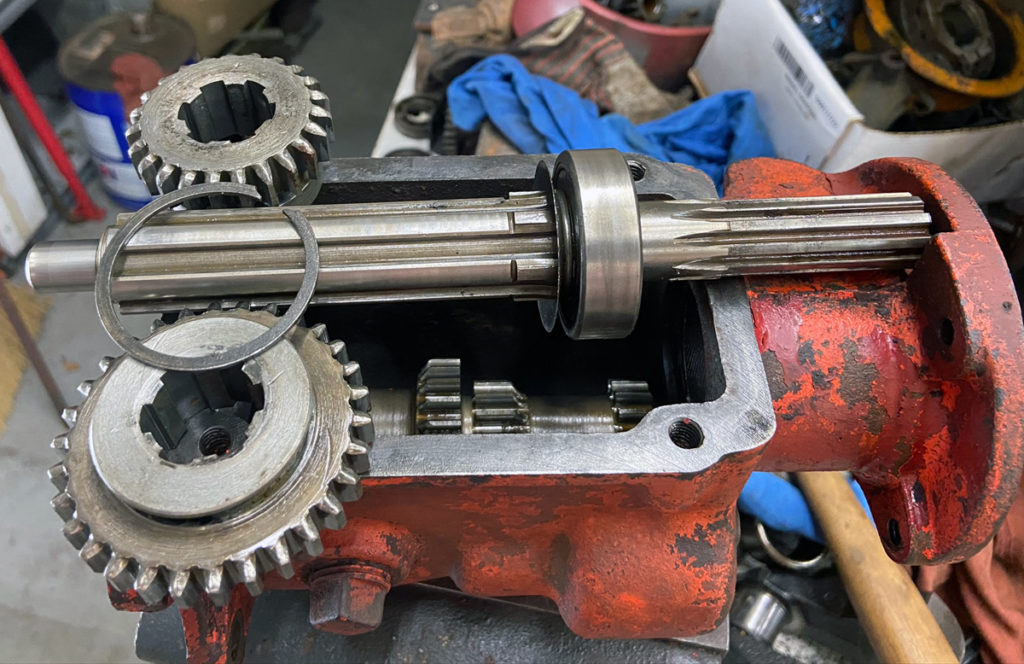
You’ll need these parts to install the T92’s main shaft.
(Photo © Russ Chastain)

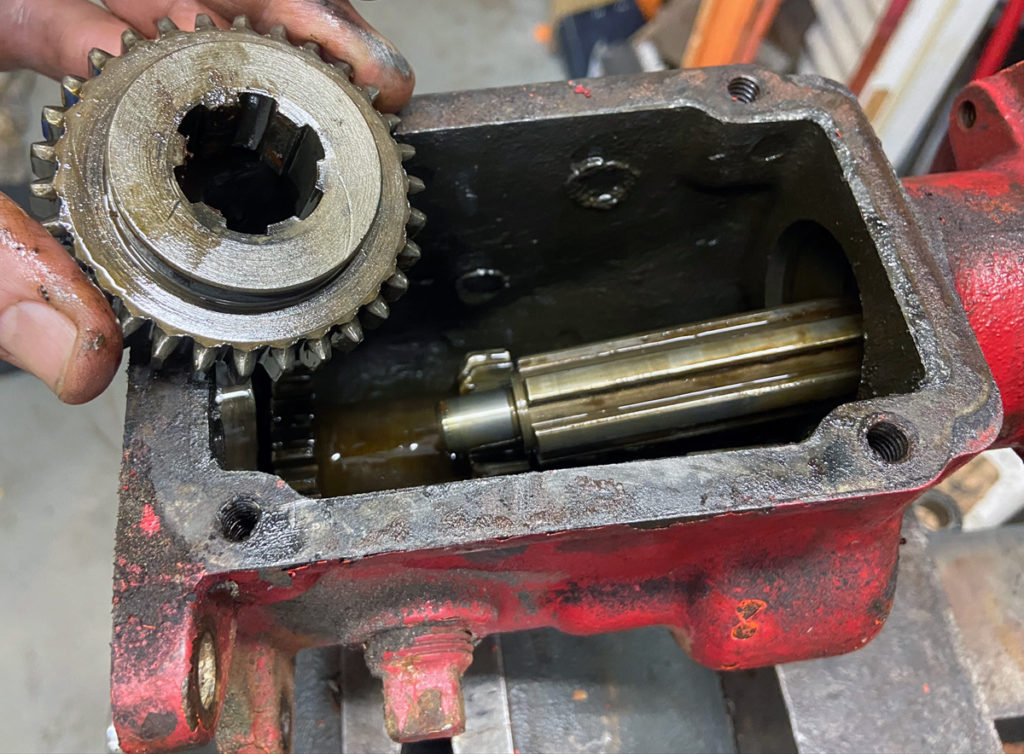
Hold the larger sliding gear in place with the shift fork slot towards the rear of the case, and slip the shaft into the case and through the gear.

Then slide the main shaft through the smaller sliding gear, keeping its shift fork slot towards the front of the case.

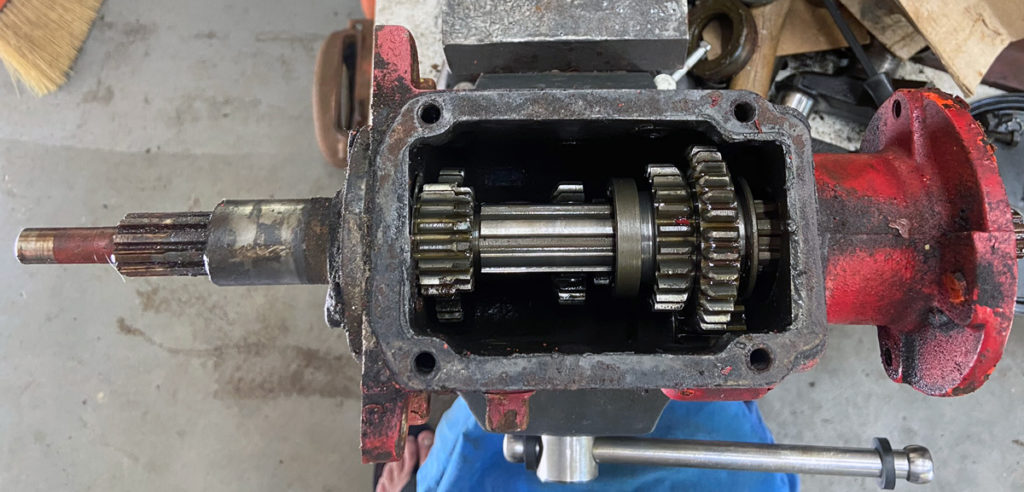
This photo shows how the gears should be arranged:
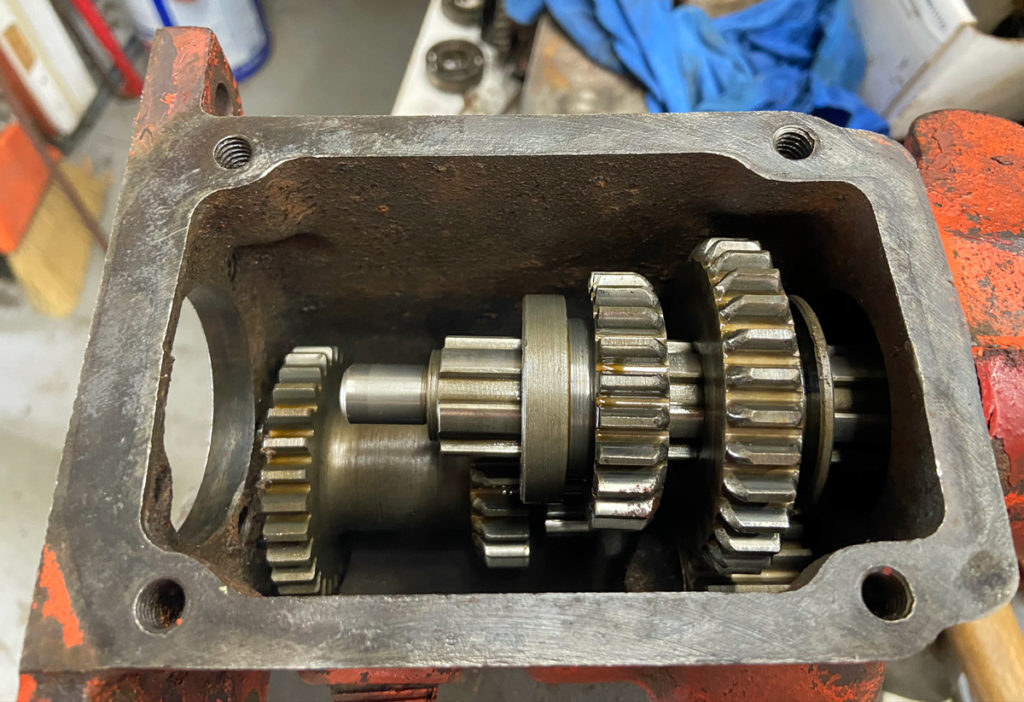
Main shaft in place with sliding gears.
(Photo © Russ Chastain)

Make sure the rear bearing gets started straight in the case.

Rear bearing started nice and straight.
(Photo © Russ Chastain)

Use a tool, such as this old hunk of a Power King tie rod, to tap around the perimeter of the bearing to move it into place in the gear case.

Tap gently and keep moving the tool around the perimeter. The bearing will stop against the aforementioned front snap ring.

Keep an eye on the sliding gears while you do this, making sure they don’t slide too far forward on the shaft or get bound up somehow.
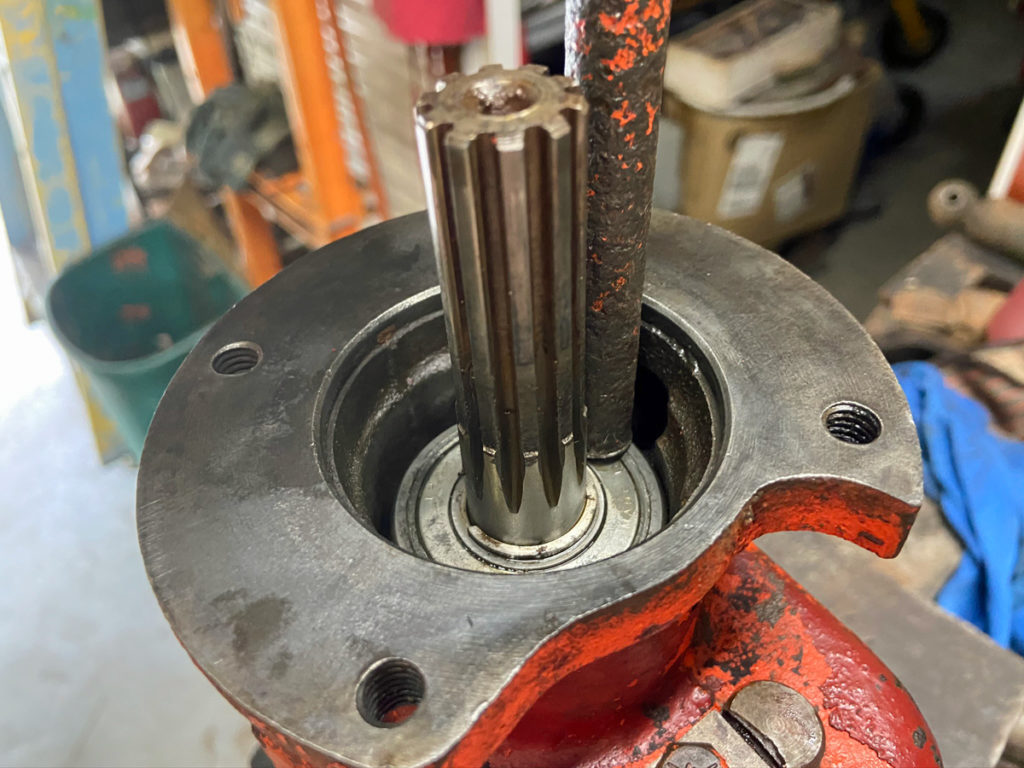
Use a tool to tap the bearing into place, moving the tool often.
(Photo © Russ Chastain)

Once the bearing is in place, check the sliding gears to make sure they are not binding anywhere and they can slide back & forth freely on the shaft.
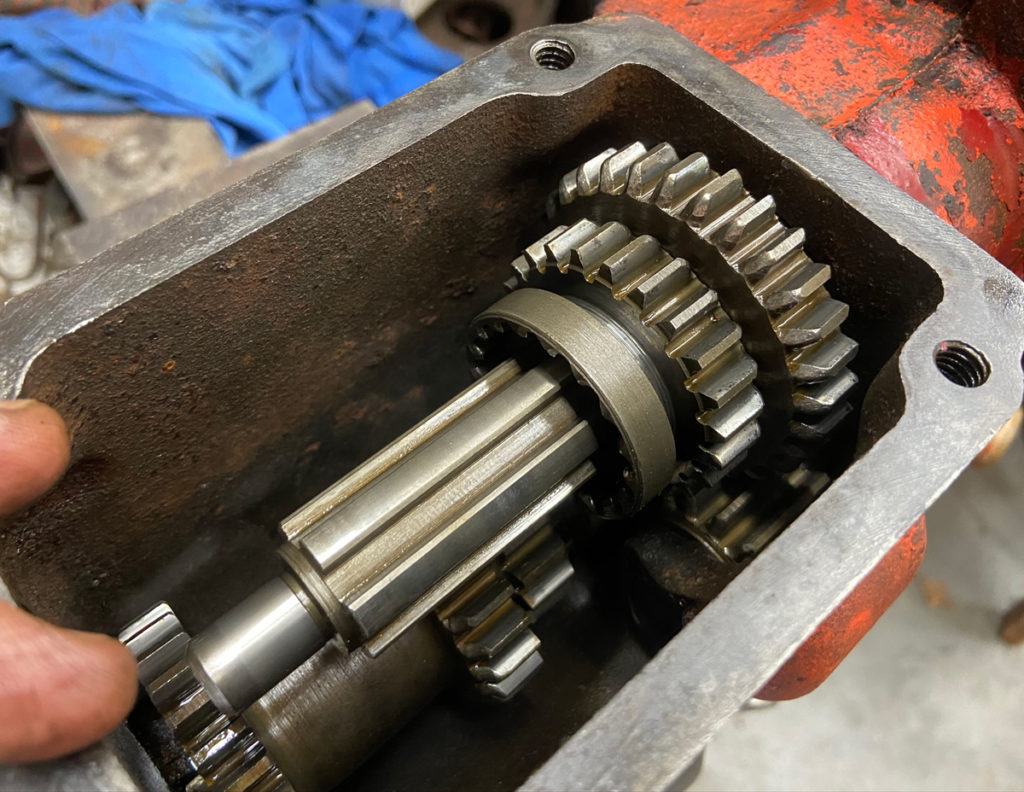
Check to make sure the sliding gears are still free.
(Photo © Russ Chastain)

You want to be certain everything is good before you install the snap ring to secure the rear bearing.
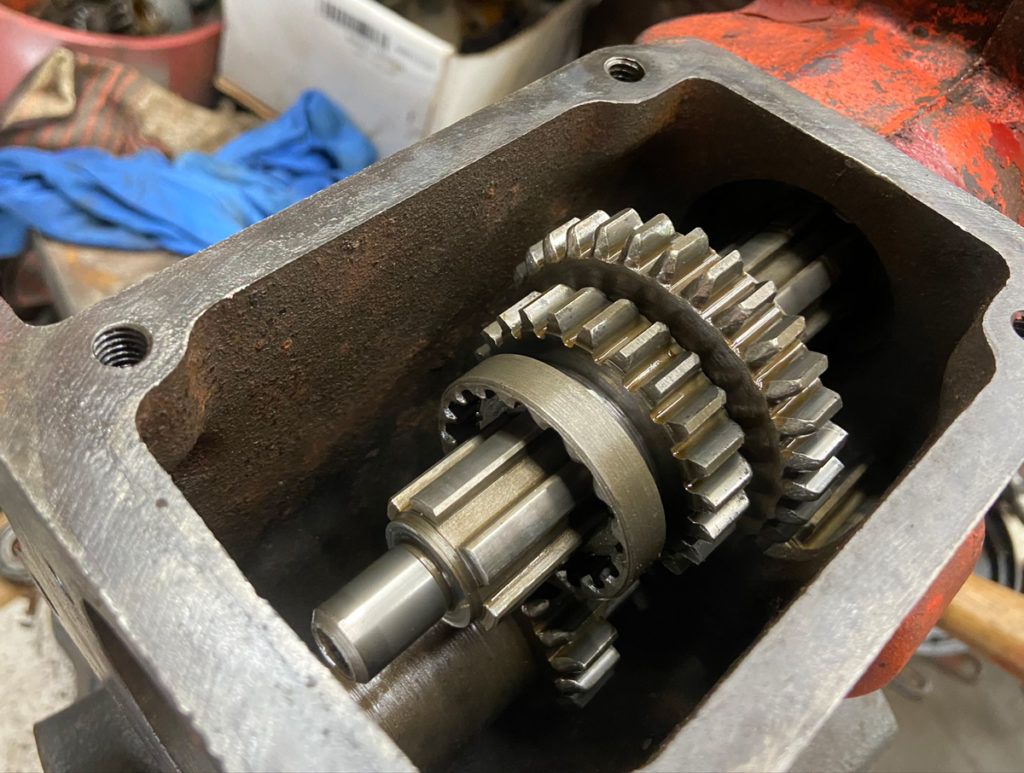
Sliding gears should move freely on the shaft.
(Photo © Russ Chastain)

You know the bearing is properly positioned when the snap ring groove in the case is fully visible, as shown below.
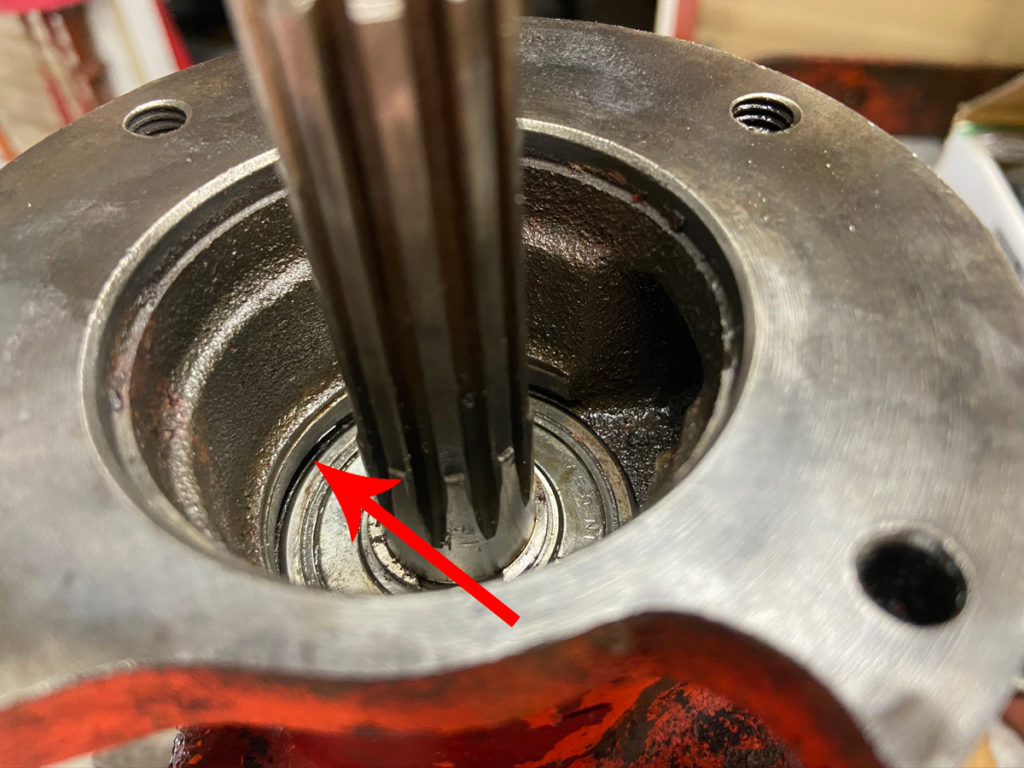
Arrow indicates snap ring groove.
(Photo © Russ Chastain)

Now put the snap ring into the bore. It should be pretty easy to get it most of the way in there, keeping it pretty much parallel with the face of the bearing.

Snap ring partially in place.
(Photo © Russ Chastain)

Push one end of the snap ring down so it goes into the groove in the case. Then work a tool around the snap ring, moving the ring down a little at a time, “feeding” it into the groove.
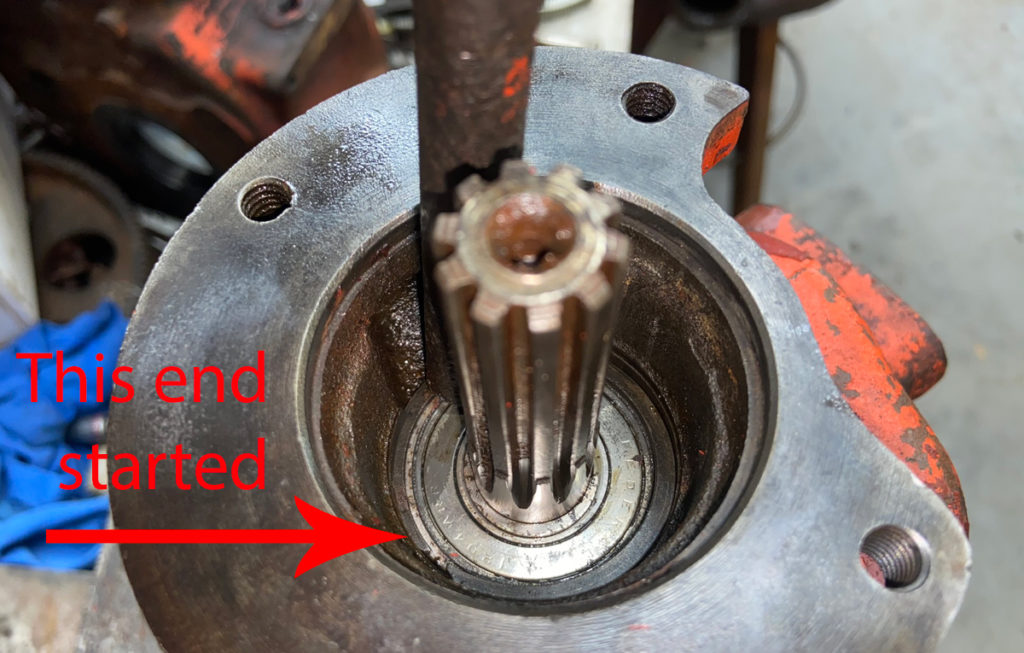
One end of snap ring started in groove.
(Photo © Russ Chastain)

Work it on down until the entire snap ring is lying against the bearing and is properly fitted into the groove.
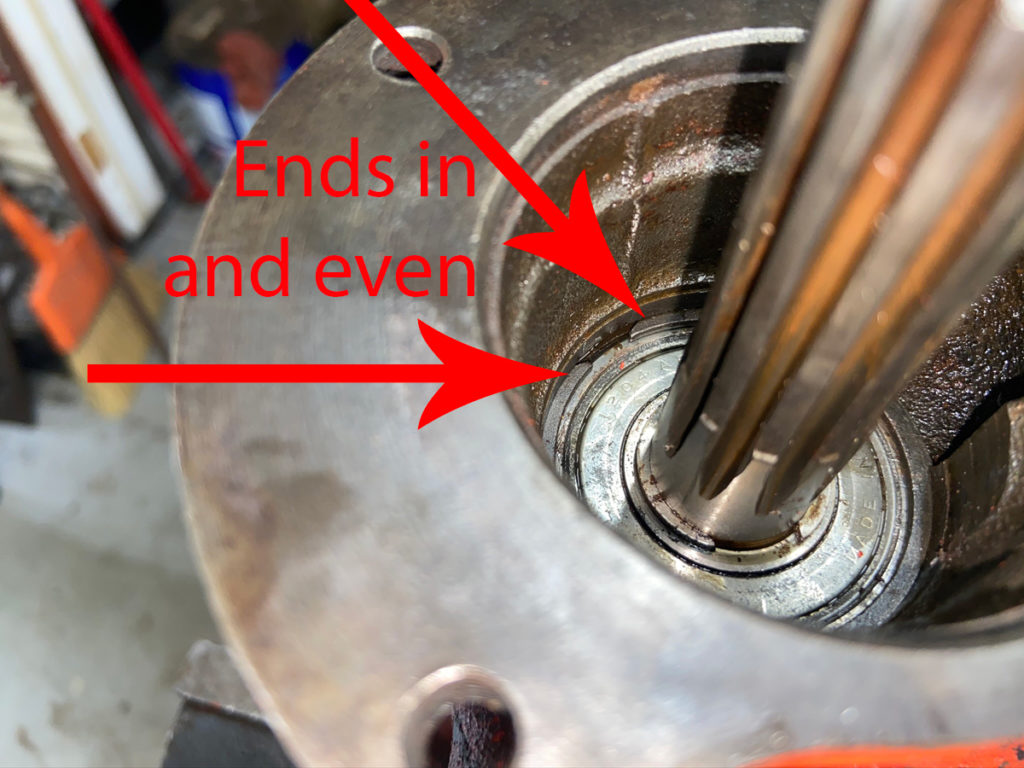
When you’re done, the snap ring will lie against the bearing all the way around, with both ends in the groove and even.
(Photo © Russ Chastain)

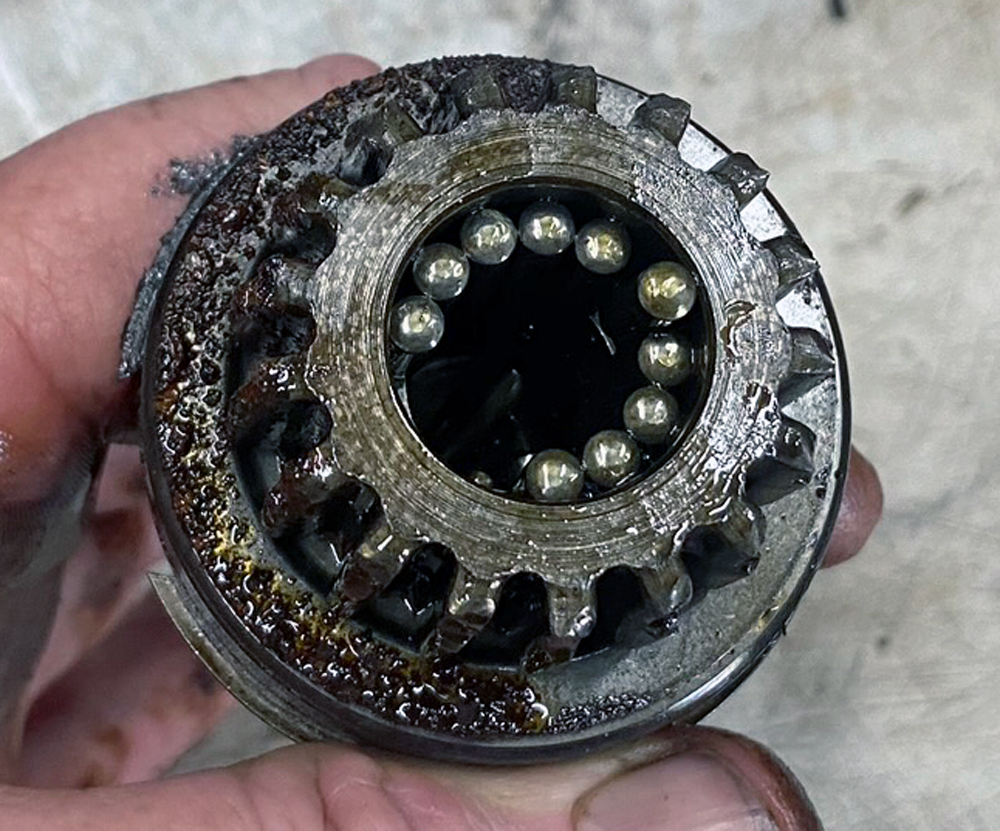
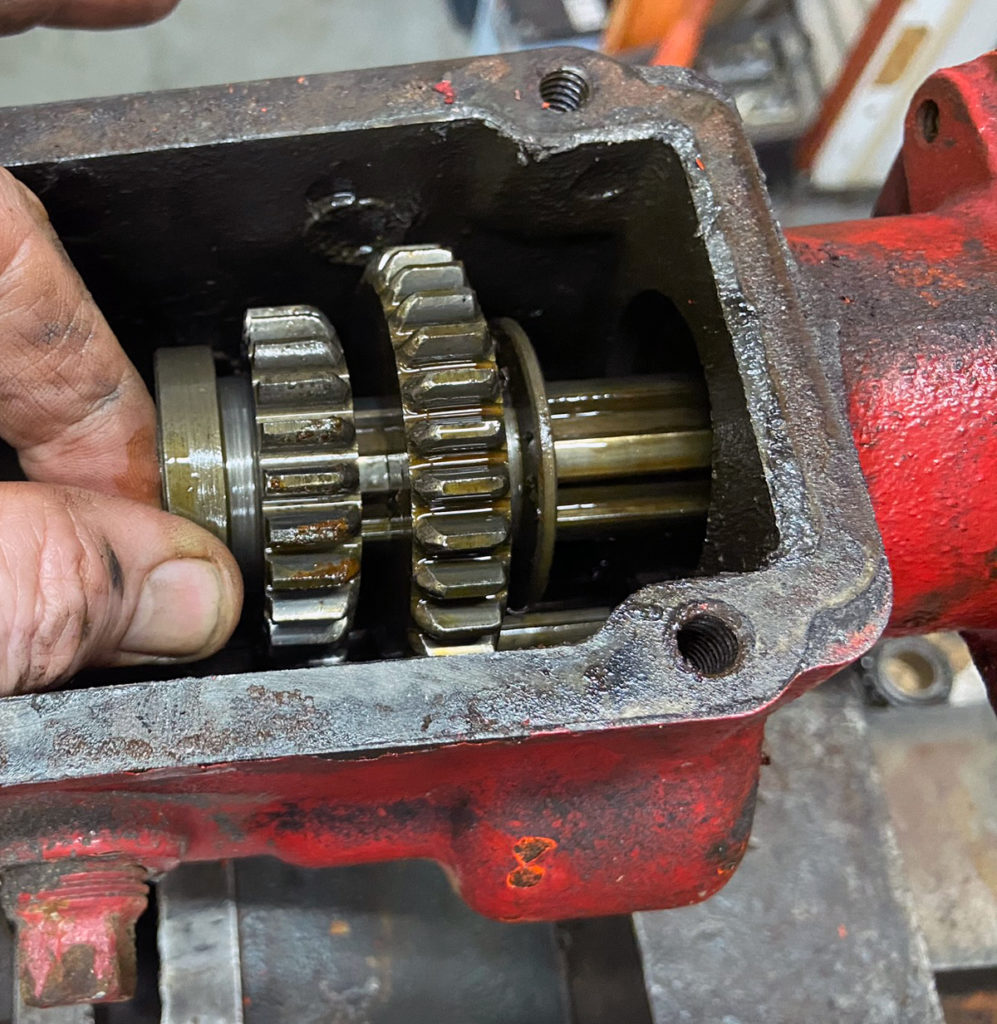
Time for the input shaft. Remember those 13 loose needle bearings from Part 1? It’s time to deal with those. The easiest way to do that is to stick them into the rear of the input shaft with some grease.
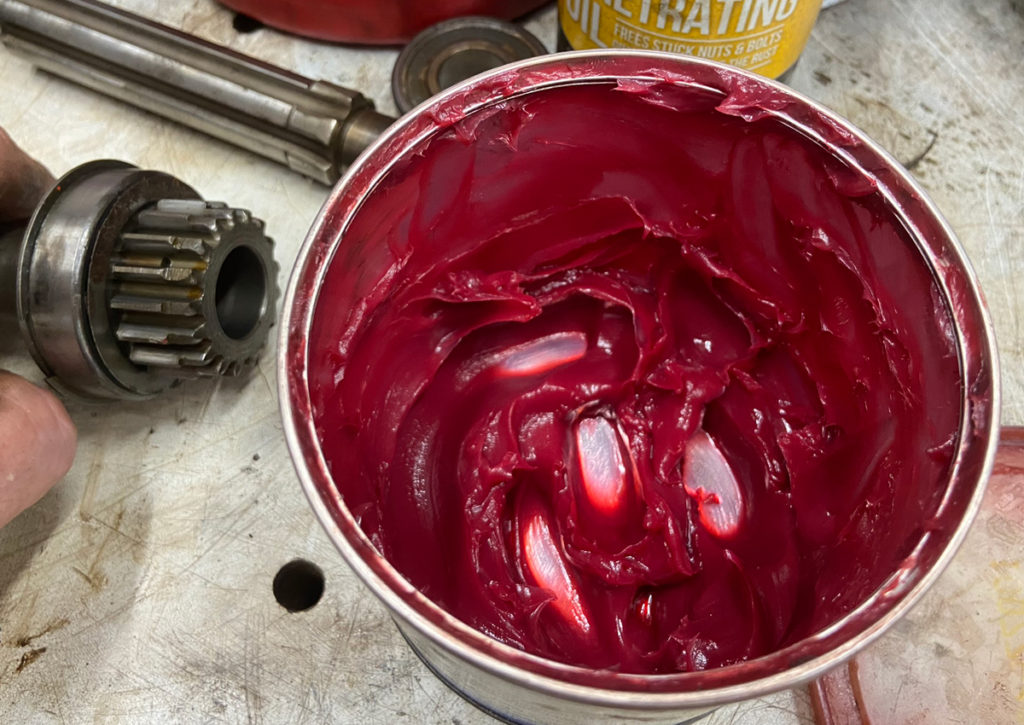
Grease!
(Photo © Russ Chastain)
Add a dab o’ grease, then a needle, repeat until you’re done.
(Photo © Russ Chastain)

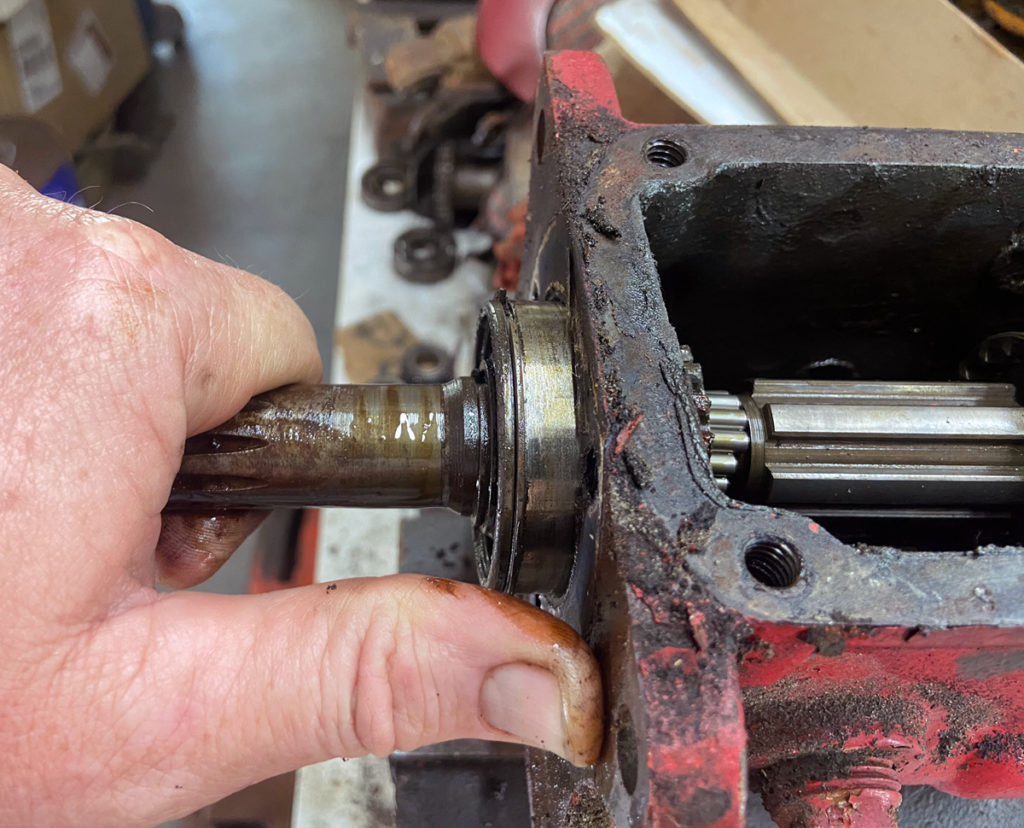
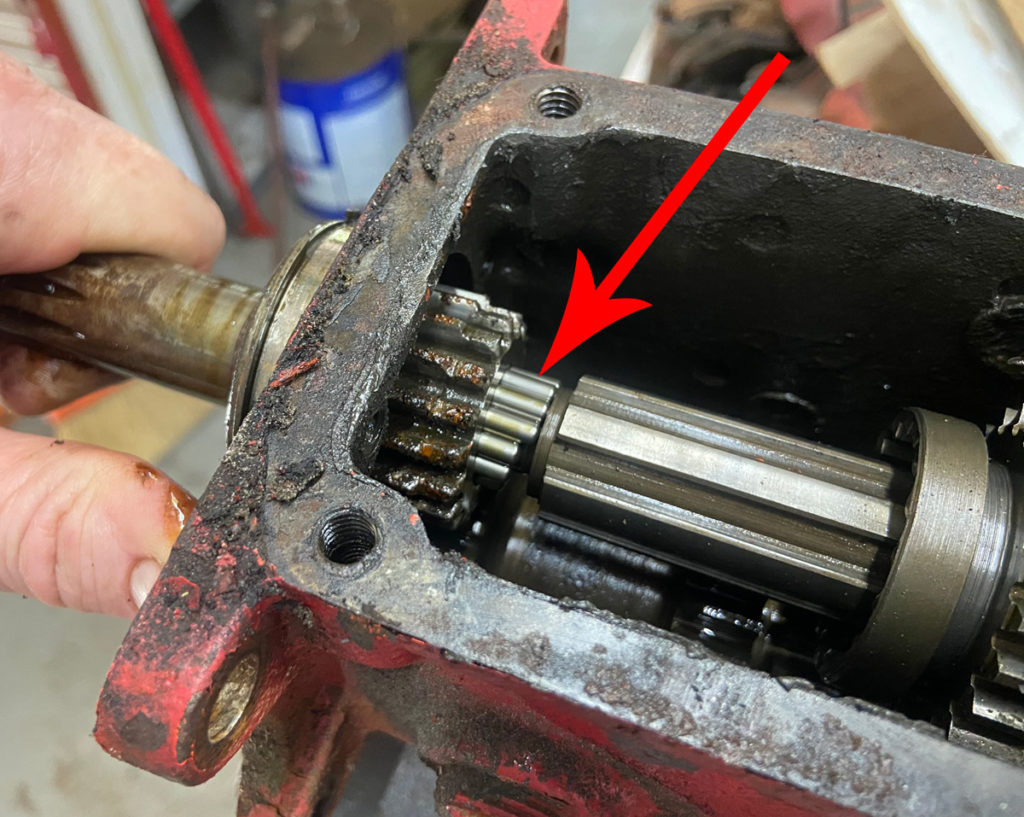
Once you have the needle bearings safely secured, slip the rear end of the input shaft through the front of the gear case and over the front end of the main shaft.
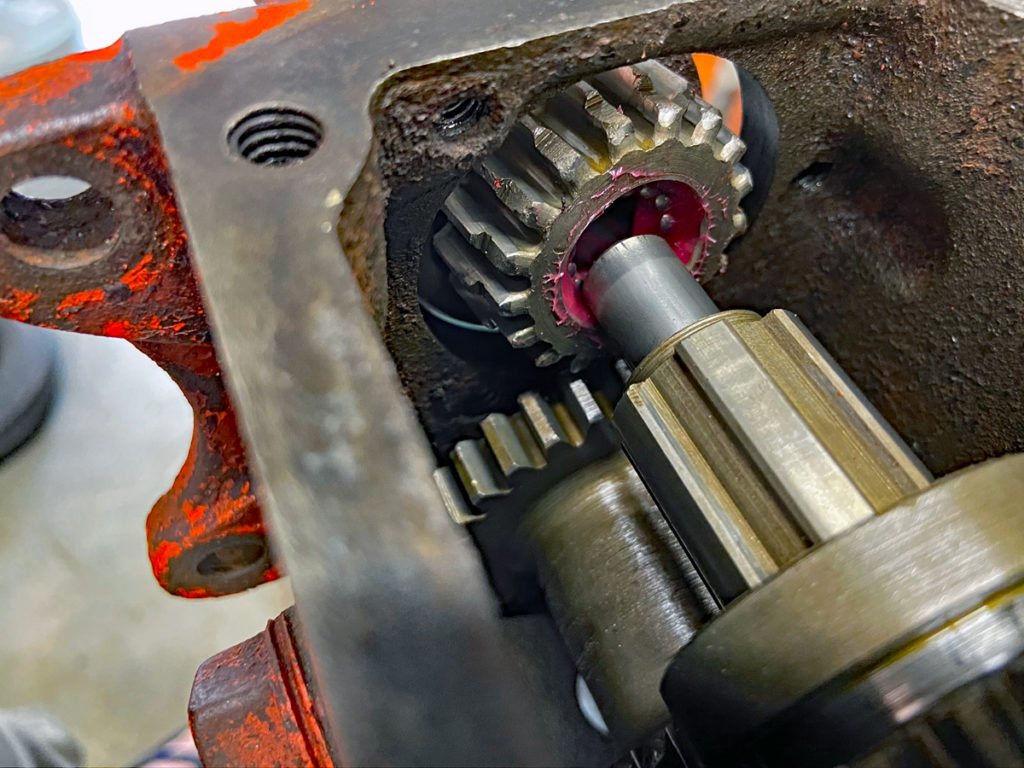
Slipping the input shaft over the main shaft.
(Photo © Russ Chastain)

Your job here is to make sure all the needle bearings stay in place. The front bearing should slide into the gear case easily.
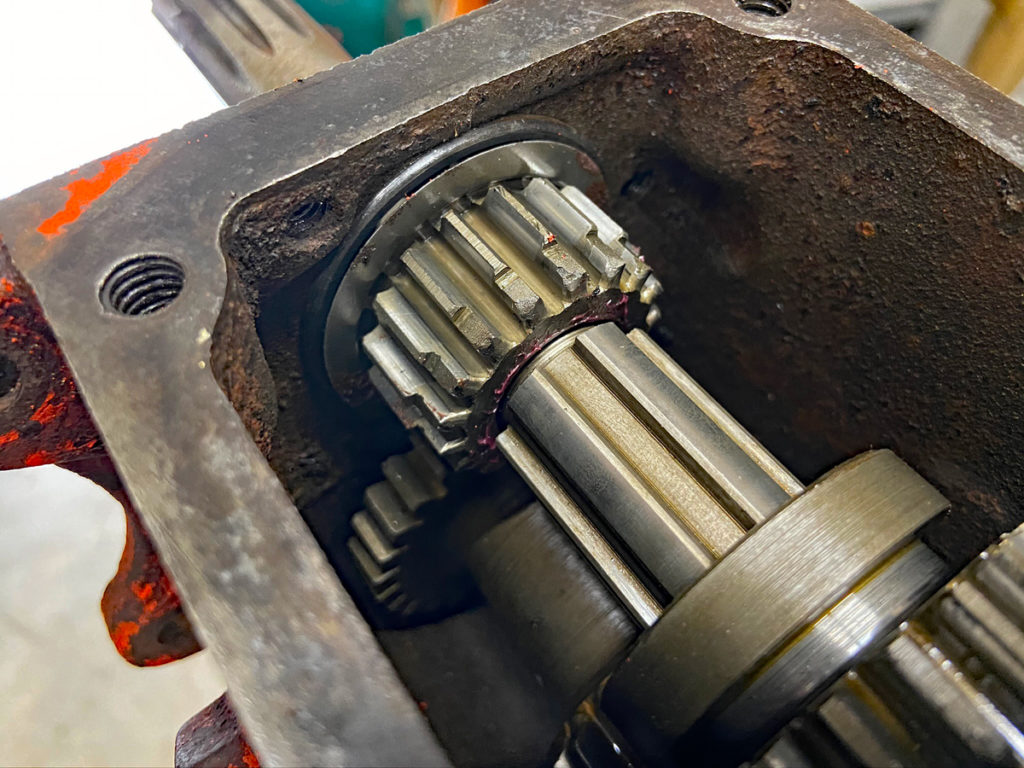
Input shaft properly assembled.
(Photo © Russ Chastain)

The snap ring on the outside of the front bearing should lie against the front of the transmission case like so:

Front bearing against front of transmission case.
(Photo © Russ Chastain)

To secure the front bearing, the bearing retainer must be installed. If this is the rear transmission on a dual-trans setup for a Power King / Jim Dandy / Economy tractor, it won’t have a bearing retainer; the center torque tube will do this job.

If the bearing retainer has a “divot” inside to help circulate oil, it must be installed over the oil hole in the gear case.

That hole in the gear case lines up with this divot in the bearing retainer.
(Photo © Russ Chastain)

Originally these transmissions used paper gaskets, but I assemble using Permatex silicone gasket maker. Just follow the directions: Tighten the bolts just barely snug, wait at least an hour, then tighten them fully.
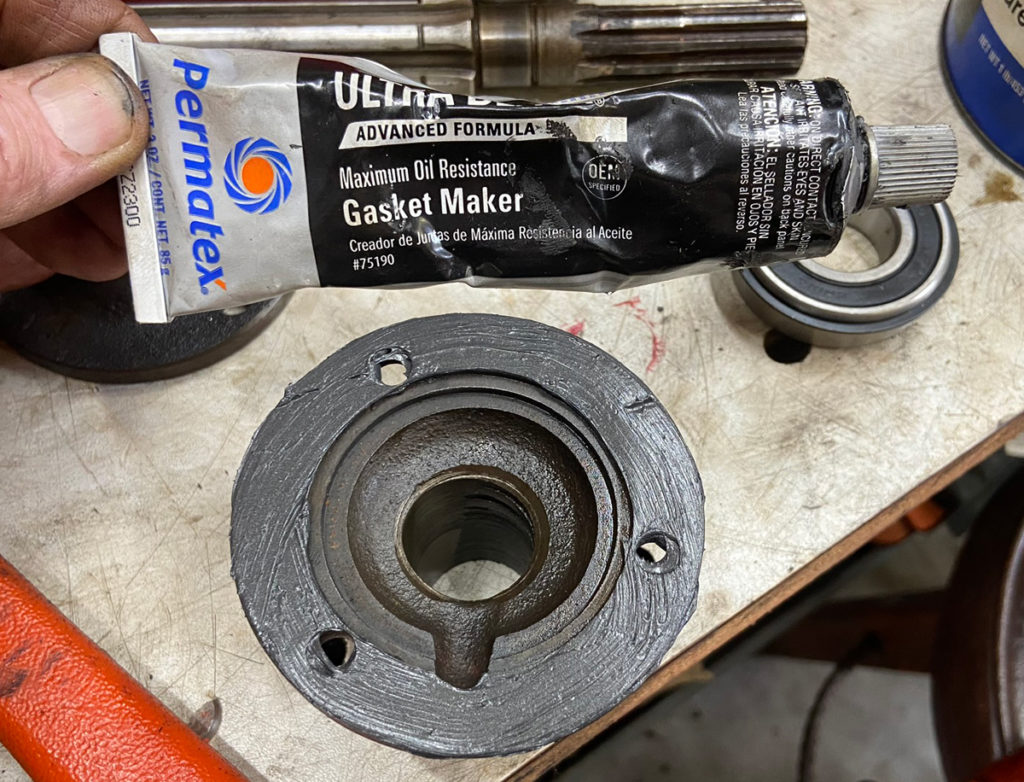
I use Permatex gasket maker instead of a paper gasket.
(Photo © Russ Chastain)

Once installed, the bearing retainer should look like the photo below. Note the position of the oil passage — and that the bearing retainer will also prevent the main countershaft from coming out the front of the gear case.
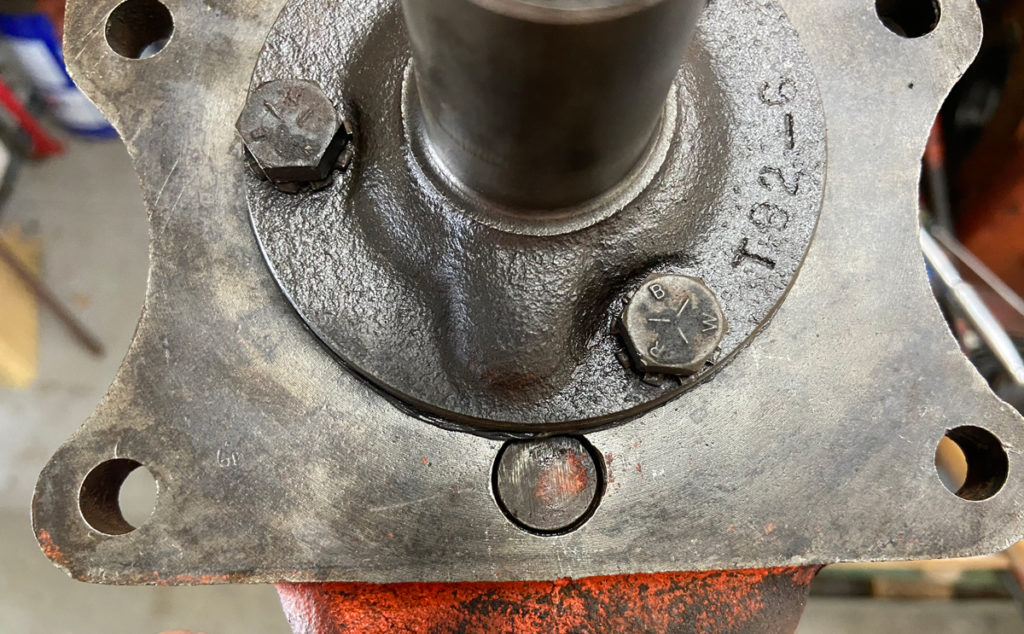
Bearing retainer installed on t92 transmission.
(Photo © Russ Chastain)

You are just about done, my friend. All that’s left is to install the top shifter assembly. When you do, make sure the shift forks slip into the slots in the sliding gears.

Use a paper gasket or gasket maker to ensure a good seal — but if you’re going to use gasket maker, wait until after you’ve added 8 ounces (no more!) of gear lube. I prefer 85w-140w gear oil.

It’s true that you can always add the lube through the fill hole on the side of the gear case, but it’s much easier to fill from the top while the shifter assembly is off.
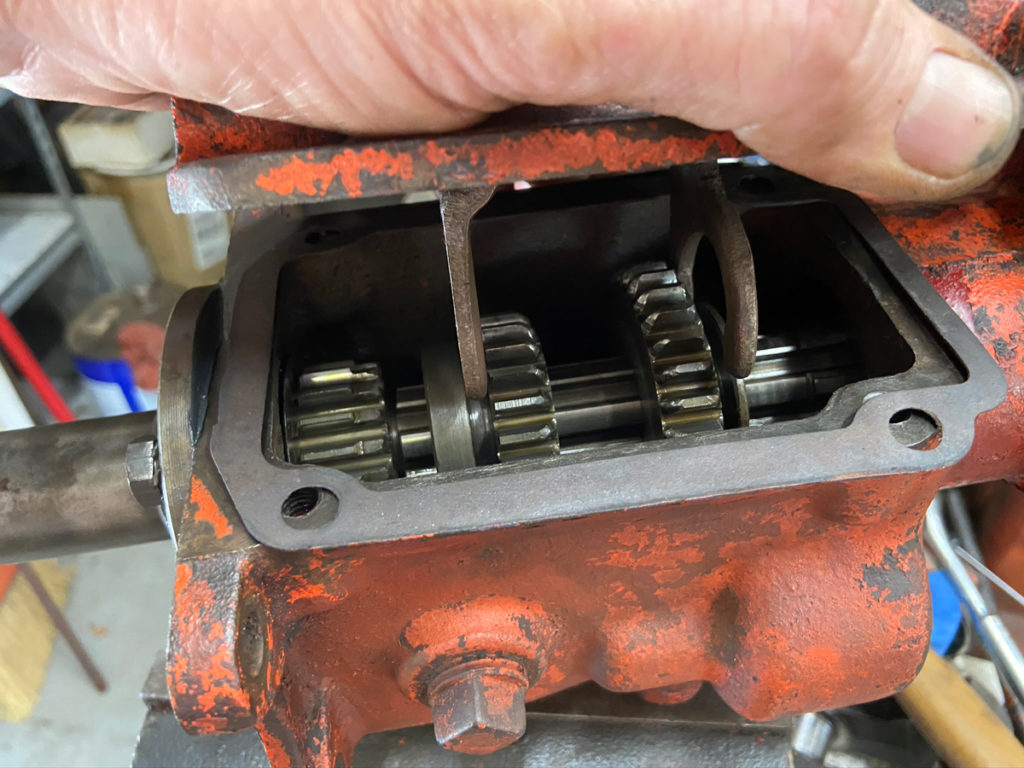
Installing the top on a T92 3-speed transmission.
(Photo © Russ Chastain)

Install your four 5/16″ cap screws (bolts) with lock washers, and you’re done. The longer of the 4 bolts goes into the hole at right rear.

All that’s left is to install bolts in these holes.
(Photo © Russ Chastain)

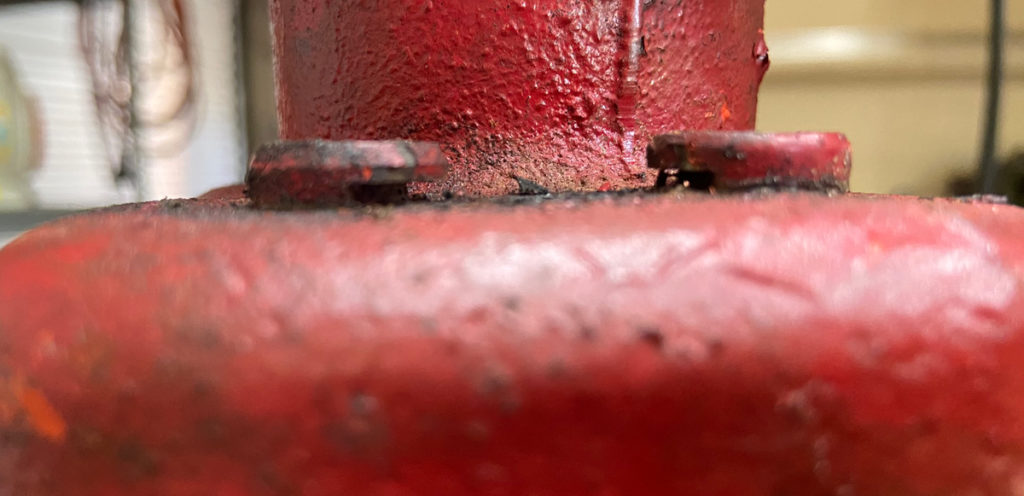
It’s easy to see why a longer bolt is needed in that location.

Arrow points to the hole where the longer bolt goes.
(Photo © Russ Chastain)

Well, that’s how to rebuild a T-92 transmission gearbox. I hope you found this useful and informative.

— Russ
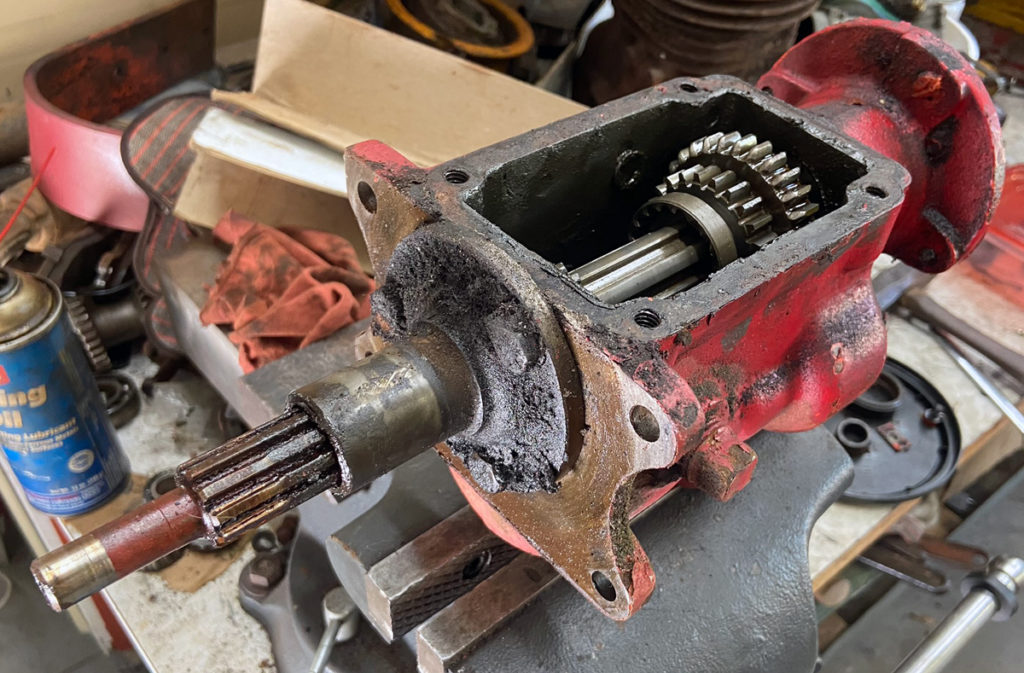
Power King T92 3-Speed Transmission Rebuild Overhaul, Part 1 — General teardown of the T92 transmission for overhaul.

An old grubby T92 transmission, sans top, ready to be overhauled. (Photo © Russ Chastain)
So you have a Borg-Warner 3-speed transmission to overhaul or rebuild? Okey dokey, let’s get started.

Here’s an IPL, or illustrated parts list from the EPCO Master Parts Manual.

Drain the lube out by removing the square-head drain plug on the bottom and allowing the gunk (um, I mean “old lube”) to drain, then stabilize the transmission for the work. The best way I’ve found to hold the case is to replace the drain plug and clamp the plug in a bench vise. Larry Goss taught that trick to anyone who would listen.

Clamping the drain plug in a bench vise is about the best way to hold it while working.
(Photo © Russ Chastain)
Use a 1/2″ socket to remove the four cap screws holding the top (shifter assembly) on, and remove the top.

This is what it should look like inside, although the sliding gears will likely be in different positions.


Top view of T92 3-speed Power King tractor transmission.
(Photo © Russ Chastain)
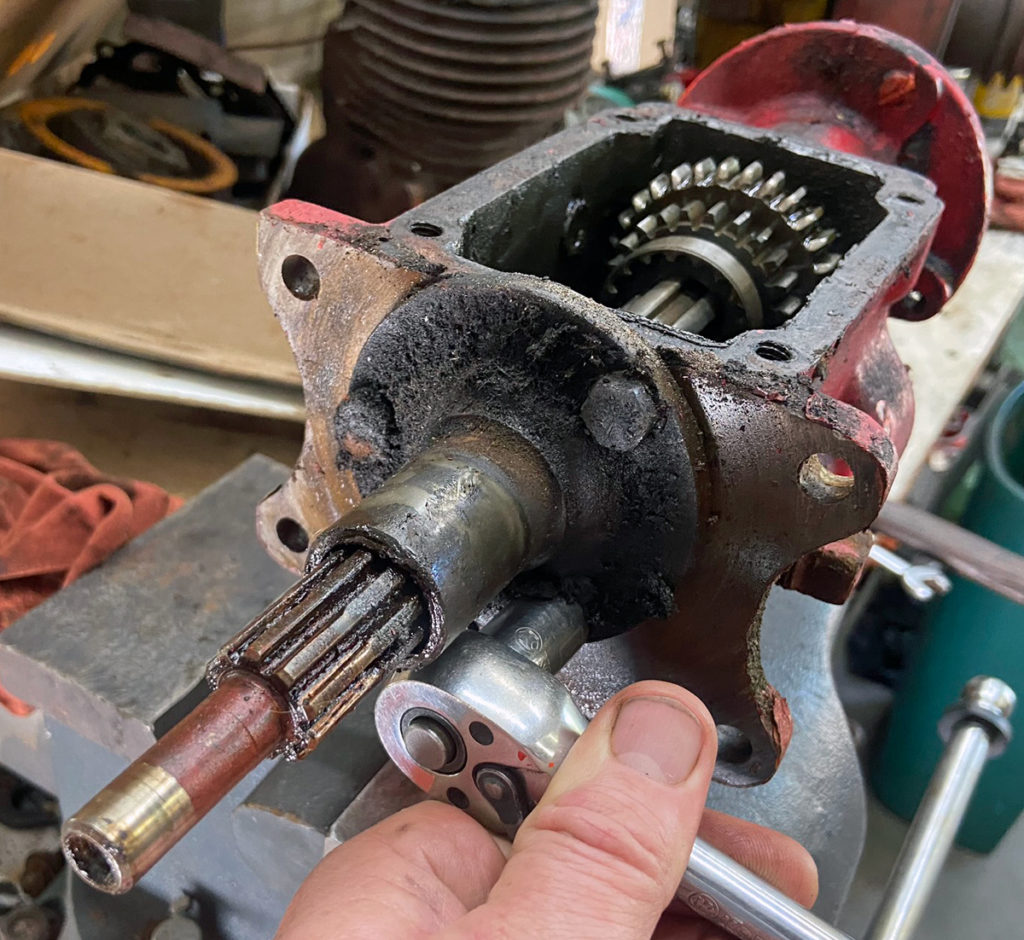
Once that’s done, remove the bearing retainer from the front. It’s held on by three 5/16″ cap screws; a 1/2″ socket works well to remove them.

The bearing retainer must be removed. 1/2″ 6-point socket works well for this.
(Photo © Russ Chastain)
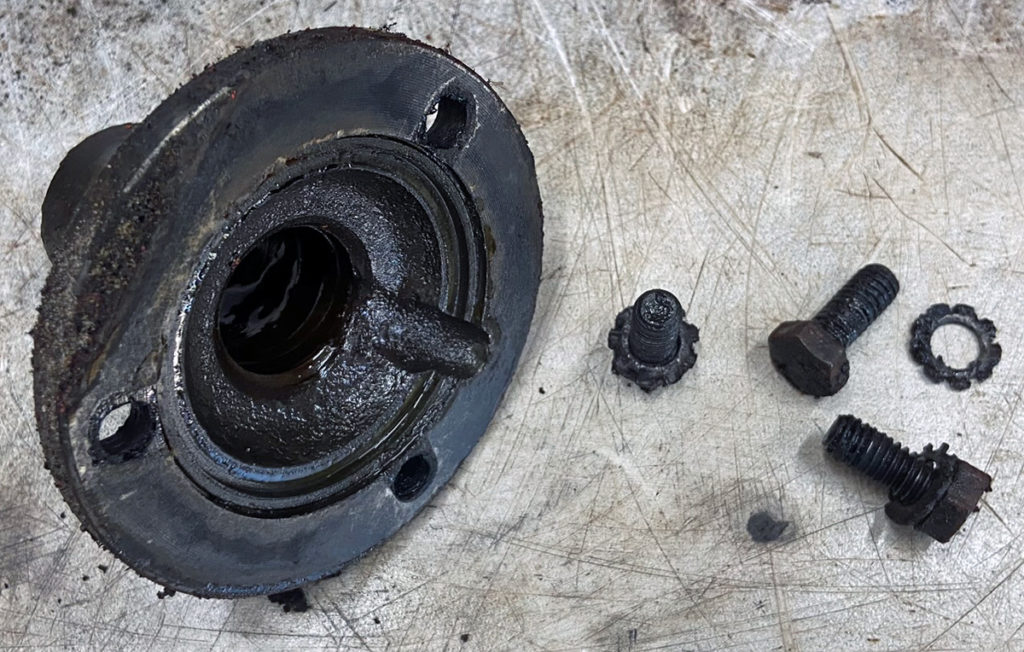
Plenty of gunk on this one. I’ll toss it into some fuel oil or diesel to soak.
Bearing retainer and its three 5/16″ cap screws with star lock washers.
(Photo © Russ Chastain)

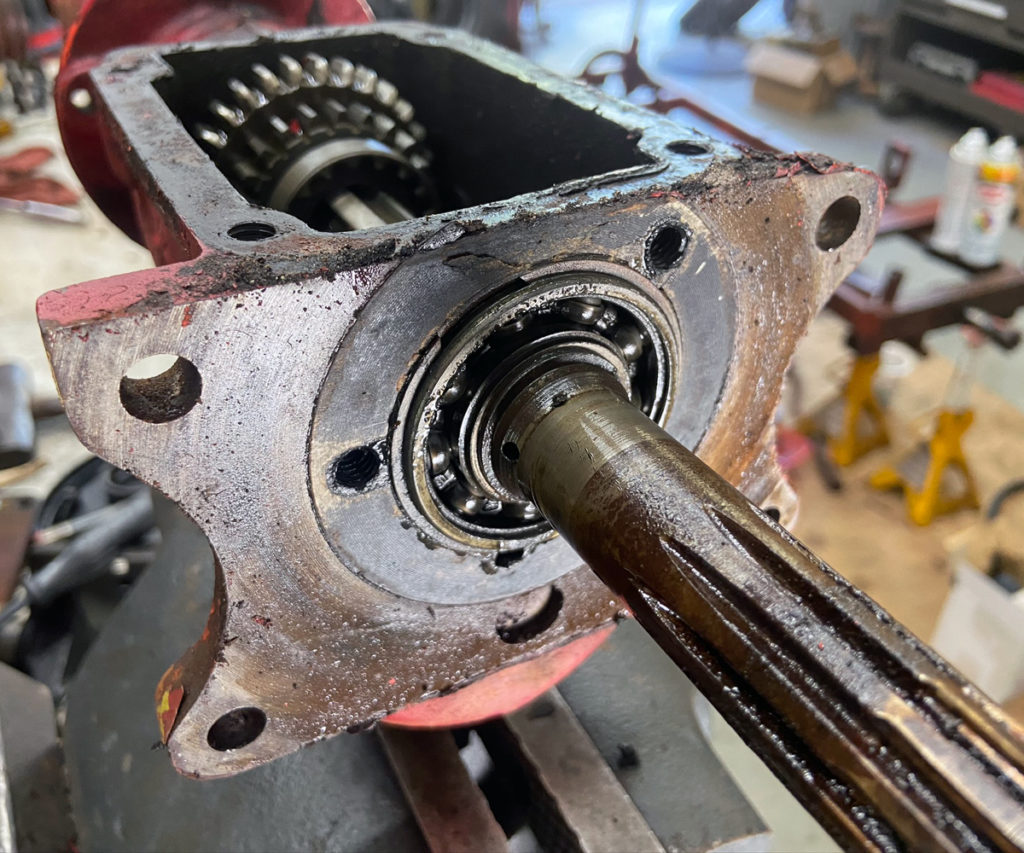
At this point, the input shaft and its bearing are only held in place by a bit of friction.

Bearing retainer removed from Borg-Warner T92 transmission.
(Photo © Russ Chastain)

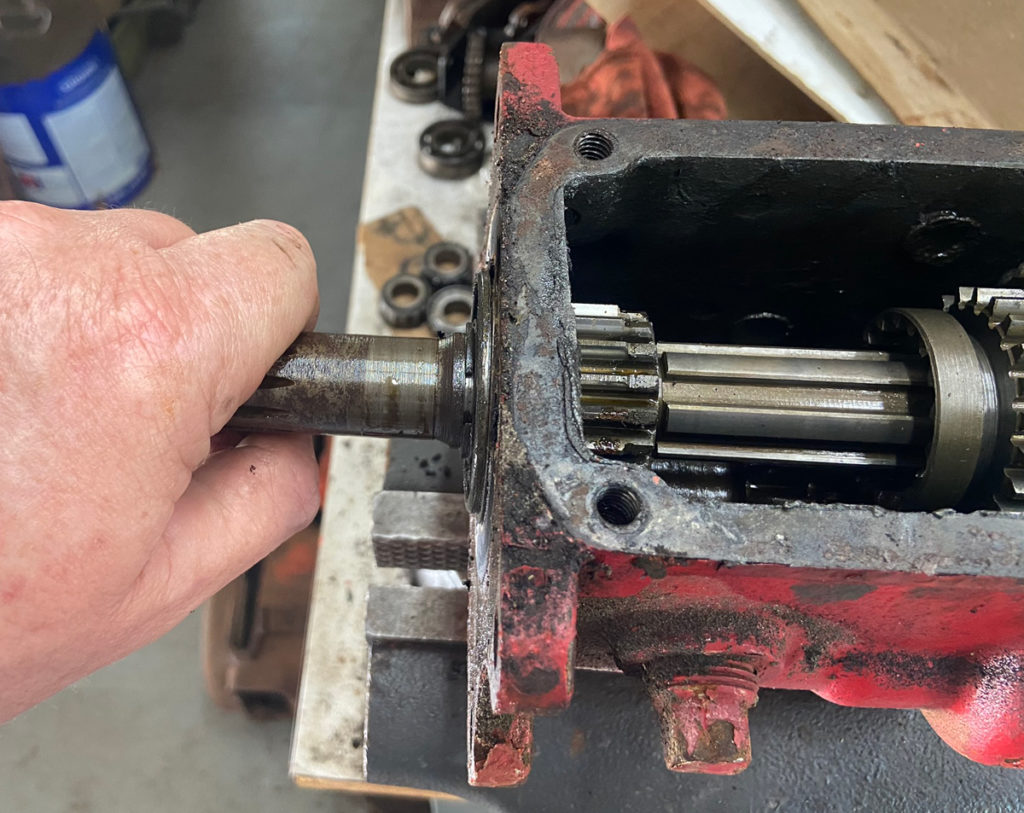
You can grab the input shaft to pull it out… do this slowly.

Removing input shaft from T92 transmission.
(Photo © Russ Chastain)

Go slow and easy, and stop when you get more or less to this point.

She’s a-comin’
(Photo © Russ Chastain)

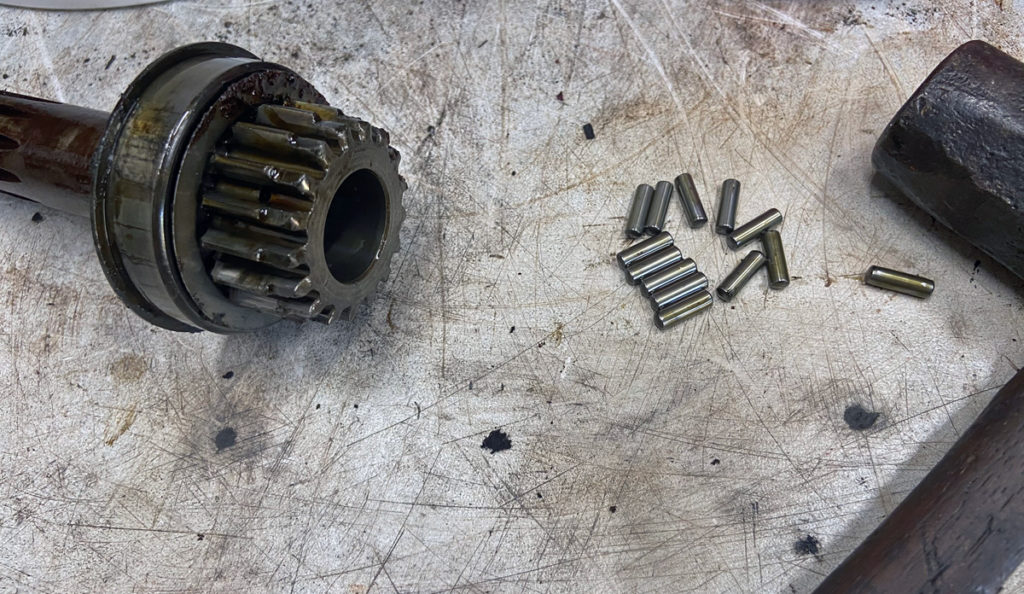
There are 13 roller/needle bearings that go between the input and output shafts. They are loose and if you’re not careful they will fall down inside the transmission — and if you are doomed, they will fall onto the ground and disappear.

This is a good time to slide them forward into the input shaft before you pull that shaft out any farther.

These needle bearings will try to get away from you.
(Photo © Russ Chastain)

Because I remembered to push the bearings up into the shaft, I didn’t lose any of them into the transmission. They all stayed with the input shaft (the other 3 are down inside there).

It’s also a good idea to loosen the vise so you can tip the transmission forward, angling the input shaft towards the ground. This way, gravity can be your friend by encouraging the needles to remain inside the input shaft.

The other 3 are down inside there.
(Photo © Russ Chastain)

These needle bearings are precious, so don’t lose them! They are not widely available, and they are far from cheap.


Keep track of the 13 needles, they are precious!
(Photo © Russ Chastain)

Time for snap rings. Argh! Make sure you wear eye protection.

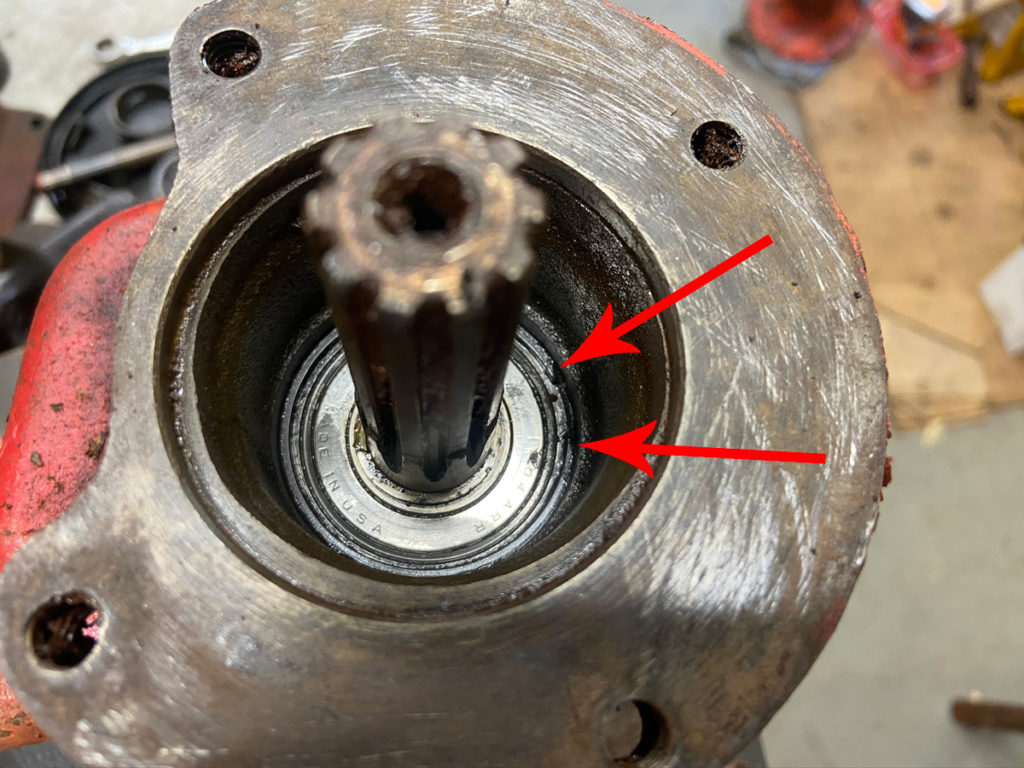
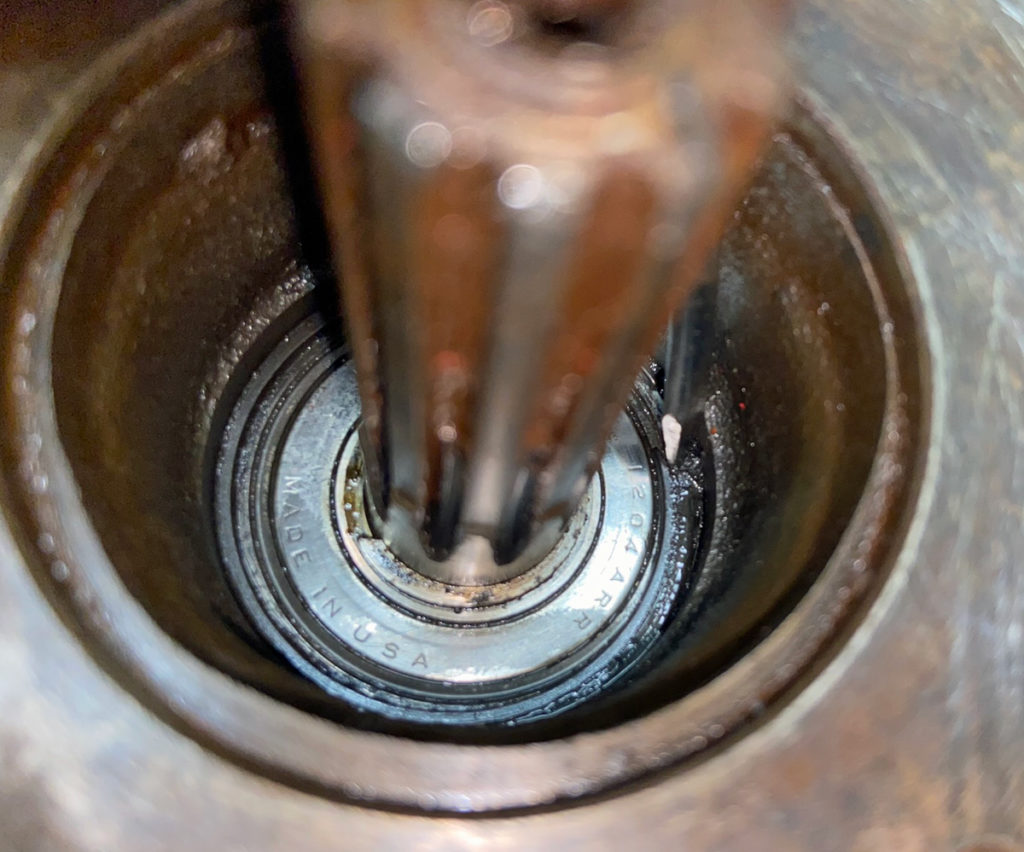
Secure the transmission with its rear end pointing up, and clean out the decades’ worth of goop so you can see the snap ring that holds the rear bearing in place.


Arrows indicate the two ends of the rear bearing snap ring.
(Photo © Russ Chastain)

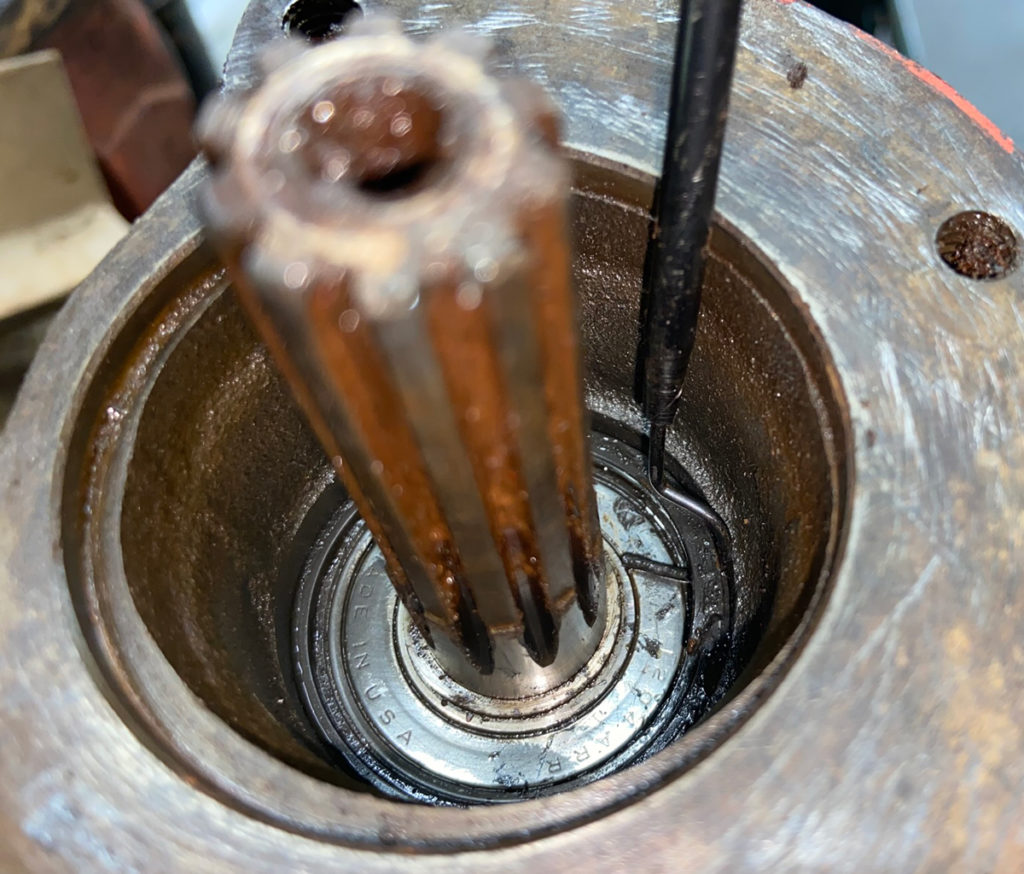
Snap rings are about as fun as a case of the cla-… um, never mind. Anyhow, they are aggravating even when you’re not trying to photograph them. This picture shows a screwdriver prying one end of the snap ring out of its groove.


Use a screwdriver or similar tool to pry out one end of the snap ring.
(Photo © Russ Chastain)

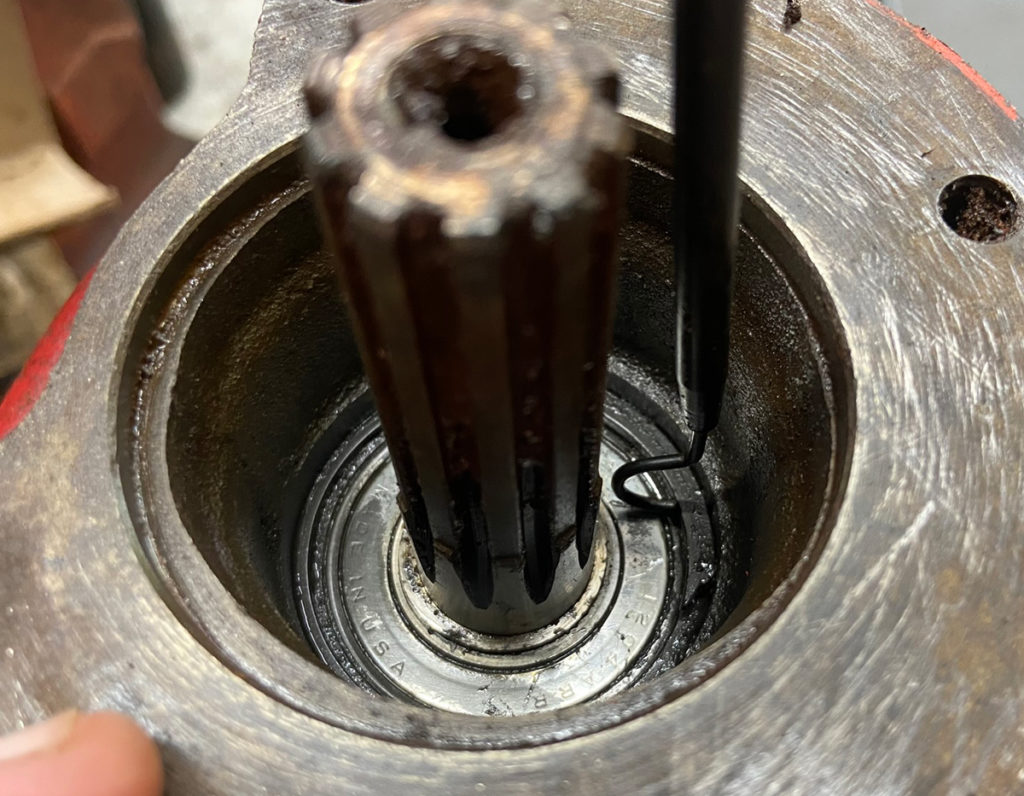
You need to lift the snap ring while it’s pried out… a small pick is useful for that. Now we have one end of the snap ring out where we can work on it.


Lift the snap ring to prevent it from slipping back into the groove.
(Photo © Russ Chastain)

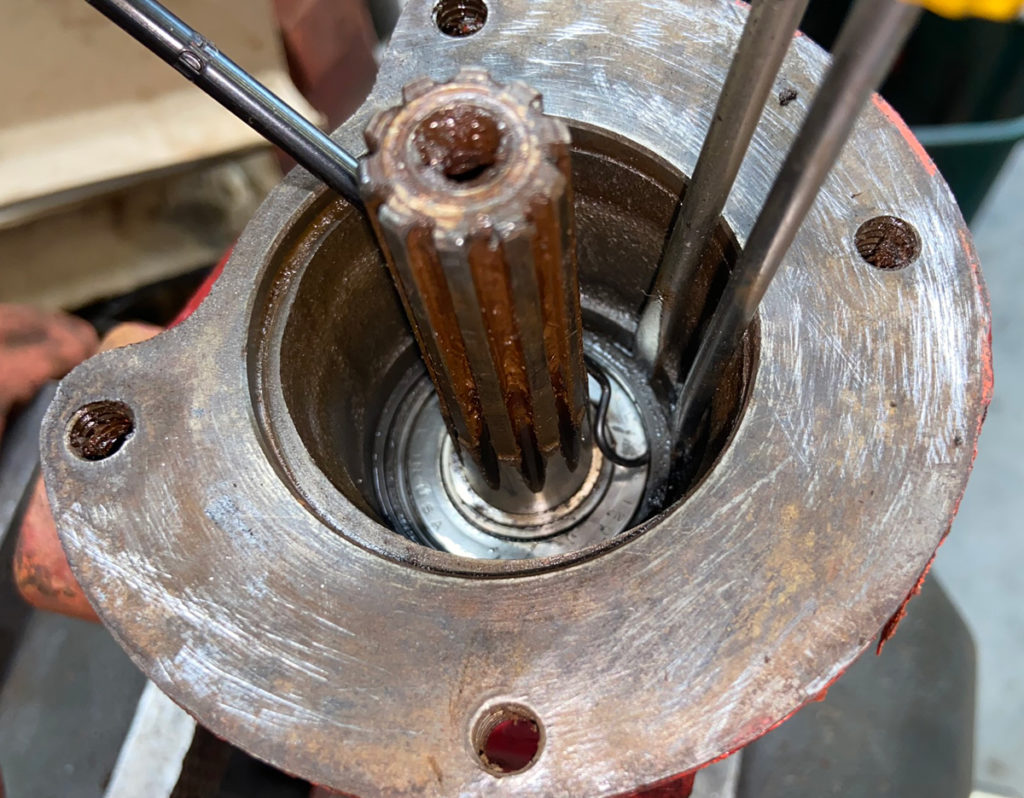
Use a couple screwdrivers to pry it out while you lift with the pick or whatever tool works for you. Be prepared to say a few naughty words when it gets away from you…

Biggest thing to remember here is: Don’t force it! A bent snap ring is an even bigger pain than a non-bent one.


Screwdrivers work snap ring out of groove, pick lifts it.
(Photo © Russ Chastain)

Finally got the pick behind the ring so it can’t get away. Next is a combination of prying and lifting until it comes up out of the groove entirely.


Hooking the pick like this helps keep the snap ring from getting away from you.
(Photo © Russ Chastain)

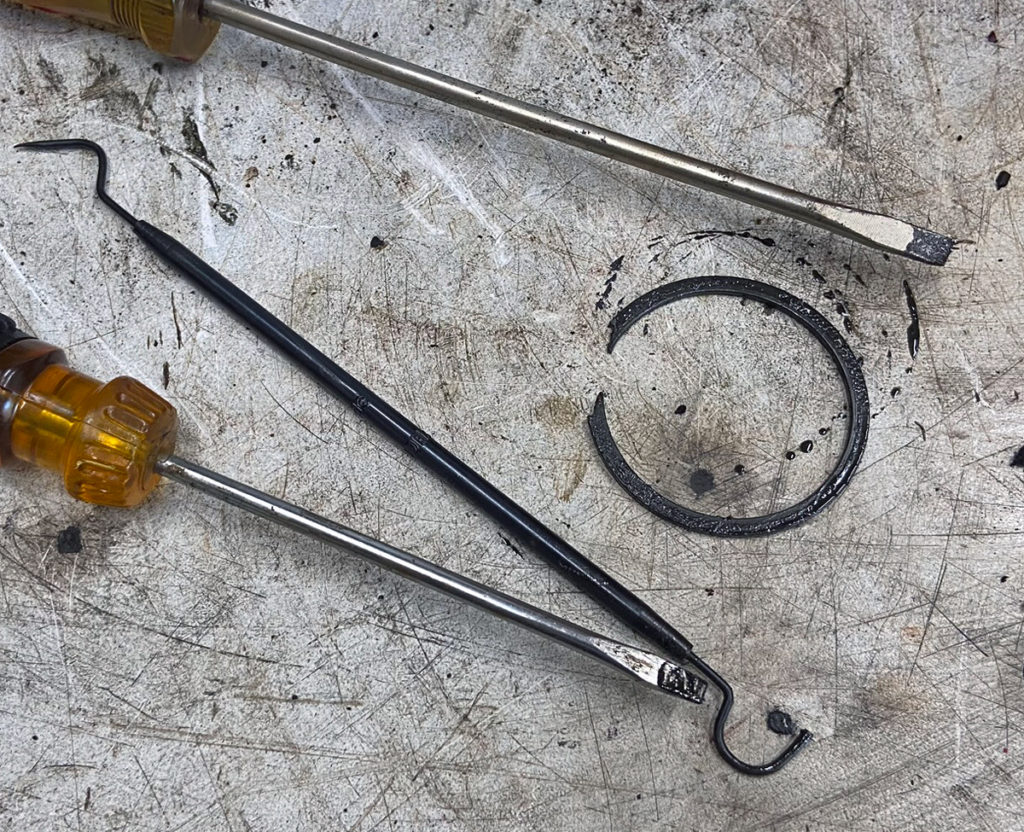
Mwahahaha!


Snap ring removed!
(Photo © Russ Chastain)

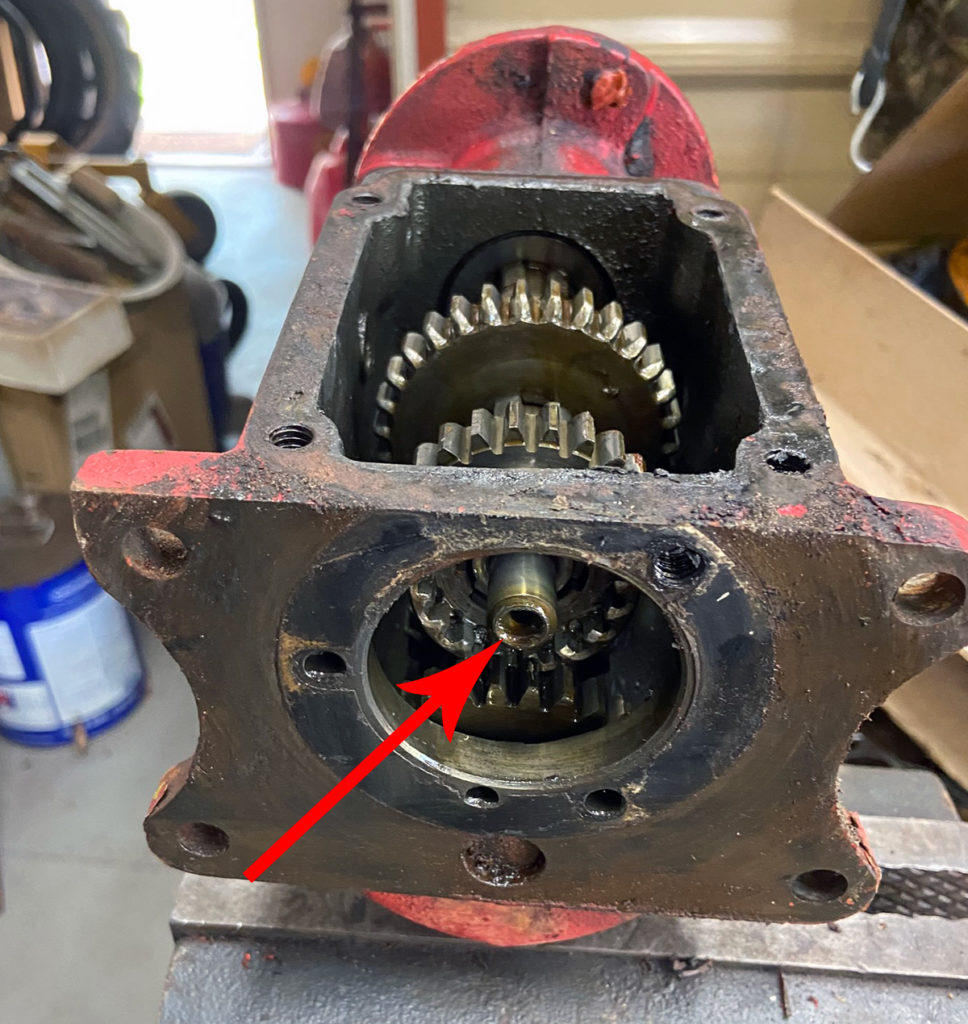
Next, remove the output shaft (indicated by arrow). It shouldn’t be difficult to move, but a hammer helps… just don’t hit the shaft with anything harder than brass. Don’t want to mar or deform it!


Arrow indicates shaft to be removed by pushing it towards the rear of the case.
(Photo © Russ Chastain)

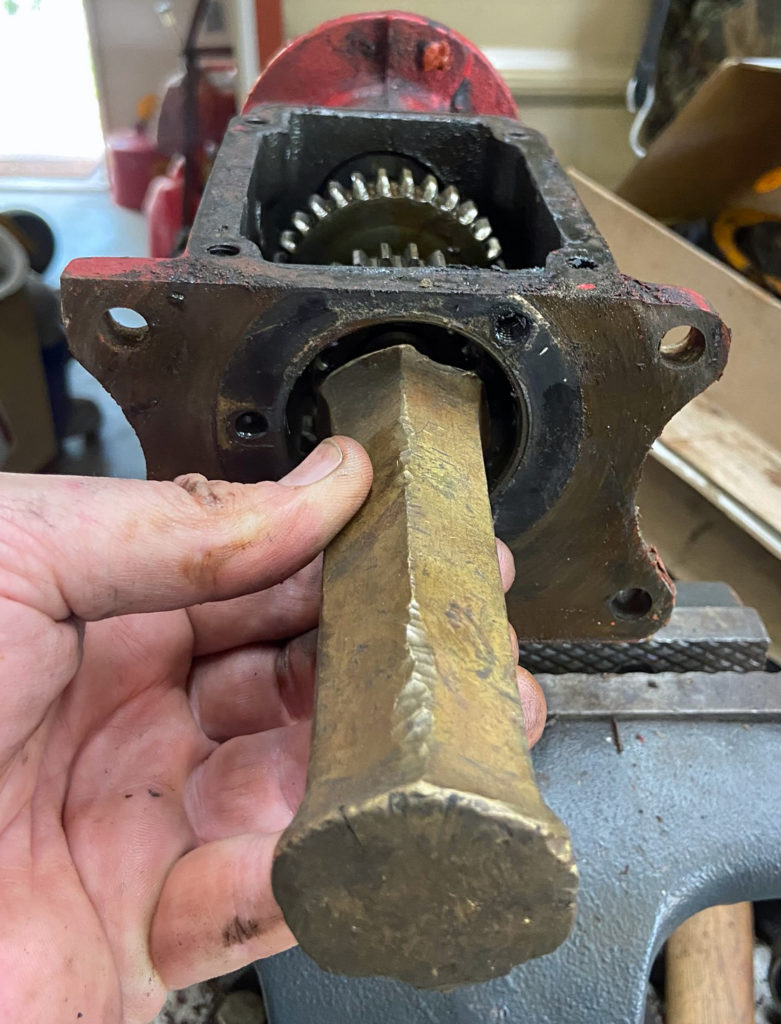
I happen to have a big honking piece of brass for just such occasions. I’ll swat this with a hammer a couple times.


This big brass punch will prevent damage to the shaft.
(Photo © Russ Chastain)

As the shaft slides rearward, a couple sliding gears will come off of it.


The shaft will slide out of these gears.
(Photo © Russ Chastain)

One gear removed, one to go.
(Photo © Russ Chastain)

Another gear removed. Shaft & bearing are now free to be removed.
(Photo © Russ Chastain)

Hooray and all!


Output shaft & gears.
(Photo © Russ Chastain)

Not done yet… we still have the big ol’ cluster gear and reverse idler gear in there. These ride on steel shafts, which are held in place by a little hunk of sheet metal called a lock plate.


Cluster gear and reverse idler gear.
(Photo © Russ Chastain)

The lock plate is held by a single 1/4″ cap screw… use a 7/16″ socket & extension to remove it.


Remove this retaining screw.
(Photo © Russ Chastain)

A 7/16″ socket with extension will do the job well.
(Photo © Russ Chastain)

Usually, paint and other crud will keep the lock plate from coming free. To loosen it, use a punch to smack the ends of the shafts. Here’s me using a steel punch when I should be using a brass one to whack the end of the cluster gear countershaft.

(My “punch” is actually a hunk of an old Power King tie rod that rusted in two.)


Give the cluster gear shaft a swat with a punch from the front end just to budge it a little.
(Photo © Russ Chastain)

The inside end of the reverse idler gear shaft can be accessed like so; all you need to do is move it juuuuuust a tad to loosen the lock plate.


Also swat the reverse idler a bit. Arrows shows punch covering end of shaft.
(Photo © Russ Chastain)

We’ve loosened it up and now it can be removed.


Usually, this little lock plate is loose after you swatted the shafts. Slide it out of the grooves.
(Photo © Russ Chastain)

And there it is.


Lock plate removed.
(Photo © Russ Chastain)

Grooves in shafts where the lock plate lives.


The lock plate engages with those grooves.
(Photo © Russ Chastain)

Remember when you smacked the shafts to loosen the lock plate? Well go back to that and drive out the shafts towards the rear of the transmission case. Be careful! There are bushings inside the gears and you don’t want to damage them.


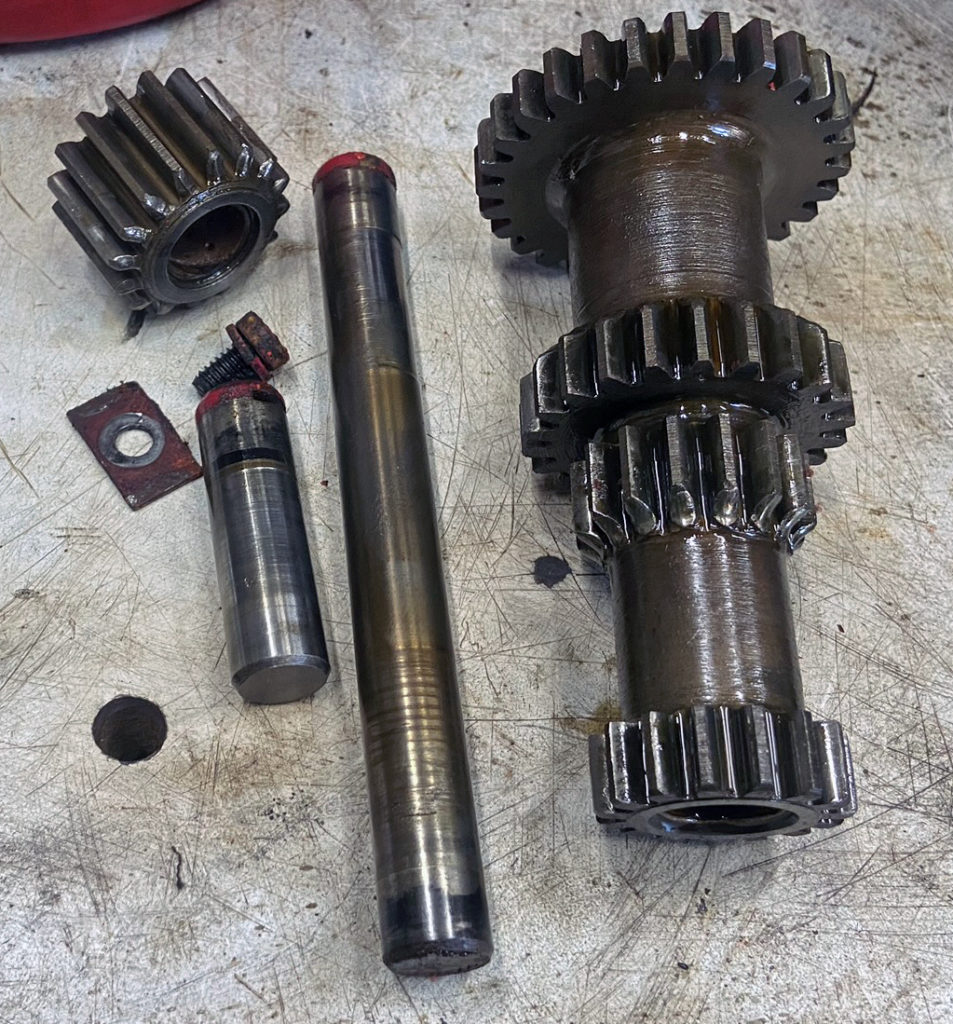
Cluster gear, reverse idler gear, shafts, lock plate, lock plate screw.
(Photo © Russ Chastain)

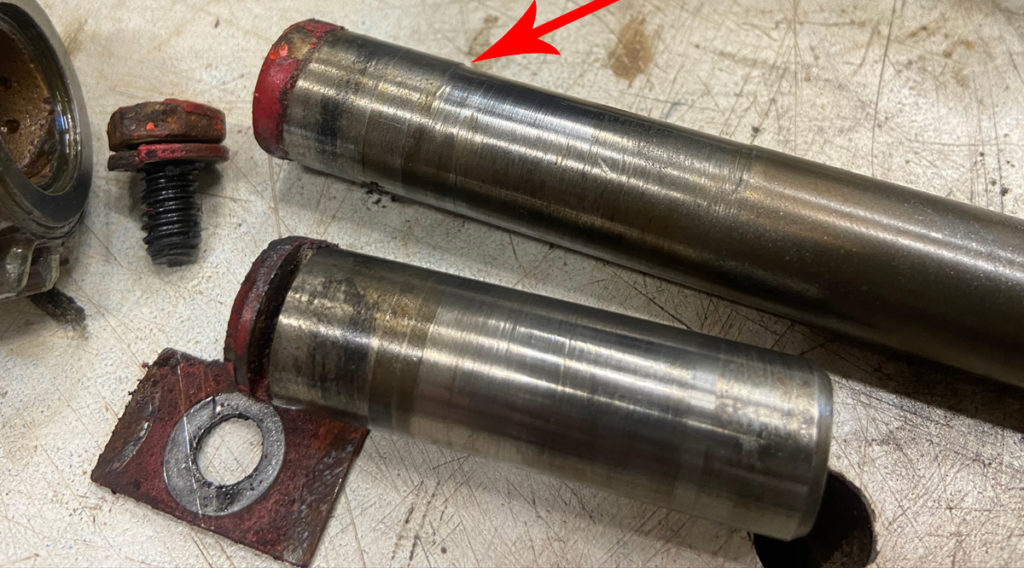
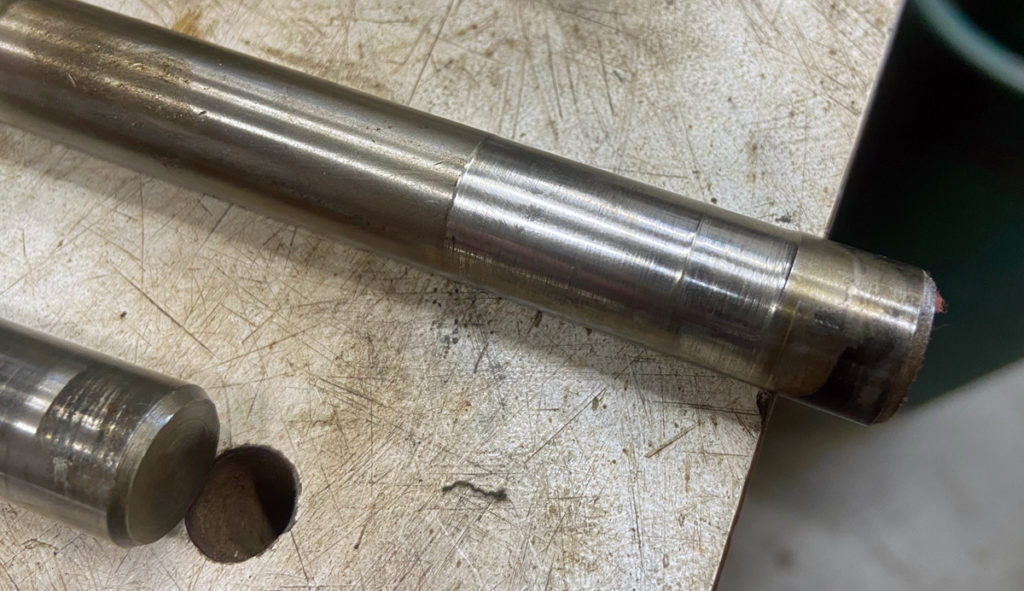
The shafts get worn… especially the longer one. Thankfully you can cut another lock plate slot opposite the original one using a grinder cutoff wheel so the gear bushings will then ride against an unworn surface. But I digress…


This shaft shows a lot of wear. Thankfully, you can reverse the shaft to give it a whole new life.
(Photo © Russ Chastain)

More wear on the cluster gear countershaft.
(Photo © Russ Chastain)

Grinding the gears while shifting is what causes this rounding of the gears.


These gear teeth are worn from improper shifting.
(Photo © Russ Chastain)

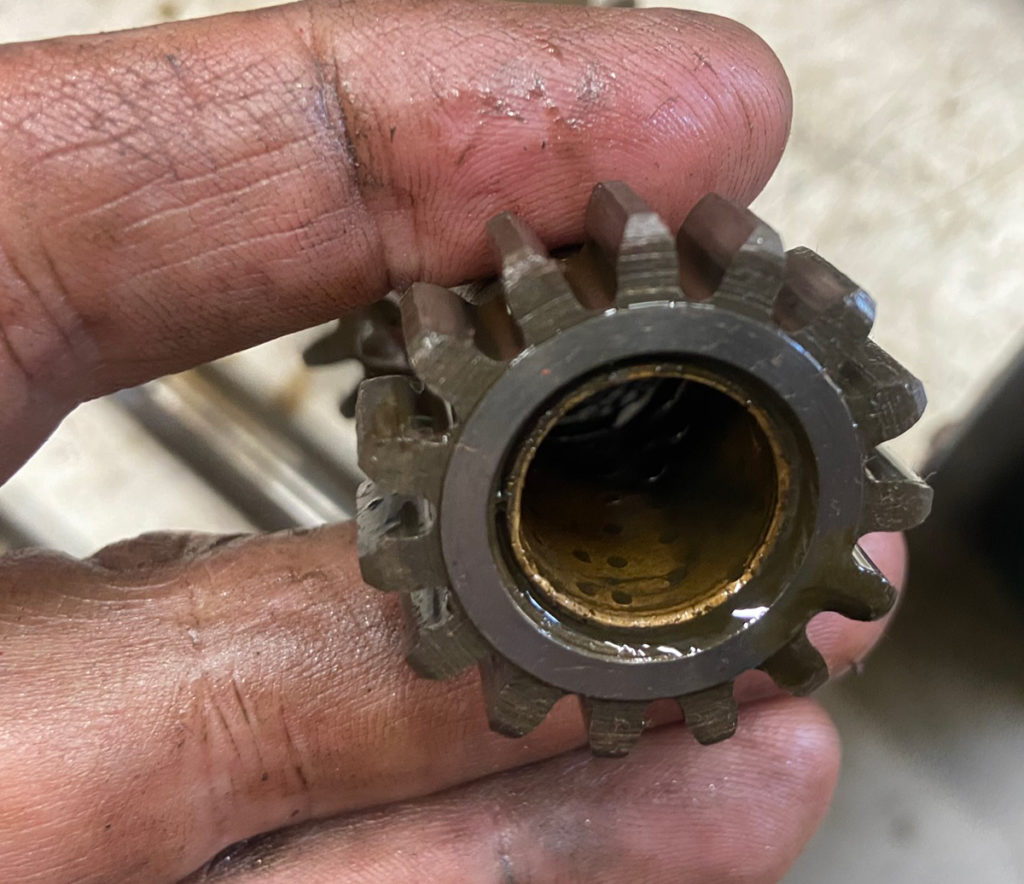
The bronze bushings are probably okay, believe it or not. Most of the time they can go right back in without any problem.


These bushings are usually good. I think they wear better than the steel shafts.
(Photo © Russ Chastain)

There’s another snap ring to locate the front edge of the rear bearing… just leave it in. My motto: Never remove a snap ring if you don’t have to.

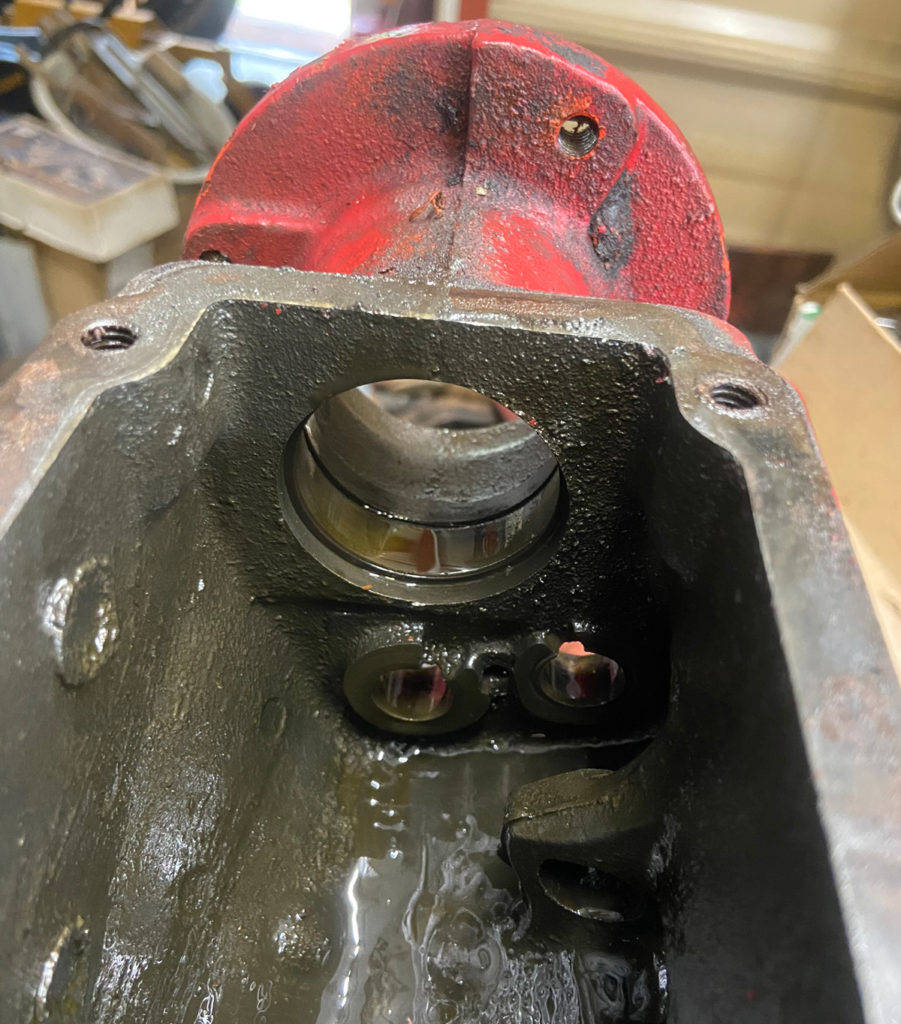
Other than that, the case is empty now.


Empty transmission case.
(Photo © Russ Chastain)

Incidentally, this transmission only takes 8 OUNCES of lubricant! And that’s about one inch below the level of the fill plug seen here.

I normally pour in a pre-measured amount of 140w gear lube while the transmission top is off — after reassembly of course.

Well, that’s about it for part one of the T92 Transmission Teardown article.

See also:

— Russ